Restaurants and cafés in Kuala Lumpur and George Town are increasingly using member portal systems to improve customer loyalty and manage rewards efficiently. This guide explains how to check member profiles, manage customer credits, and review transaction history using the portal system.
Guidance to Manage Restaurant Members Using FeedMe Portal
Step 1 — Check Member at Portal
Check your member vip in FeedMe portal for faster customer verification, better support experience, easy loyalty tracking.
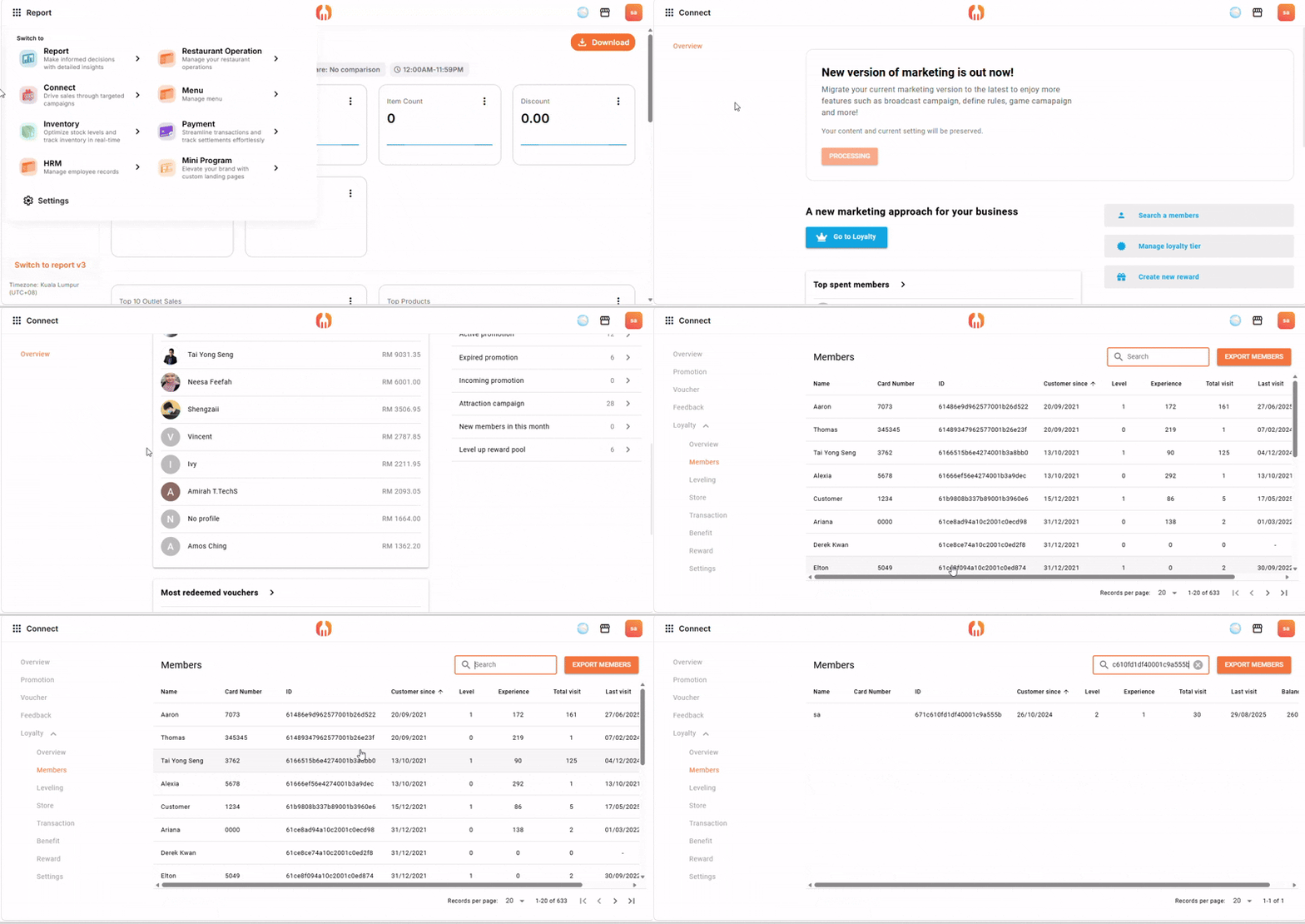
Login to portal > Open Connect > Loyalty > Member > Search customer using:
- phone number
- member ID
- customer name
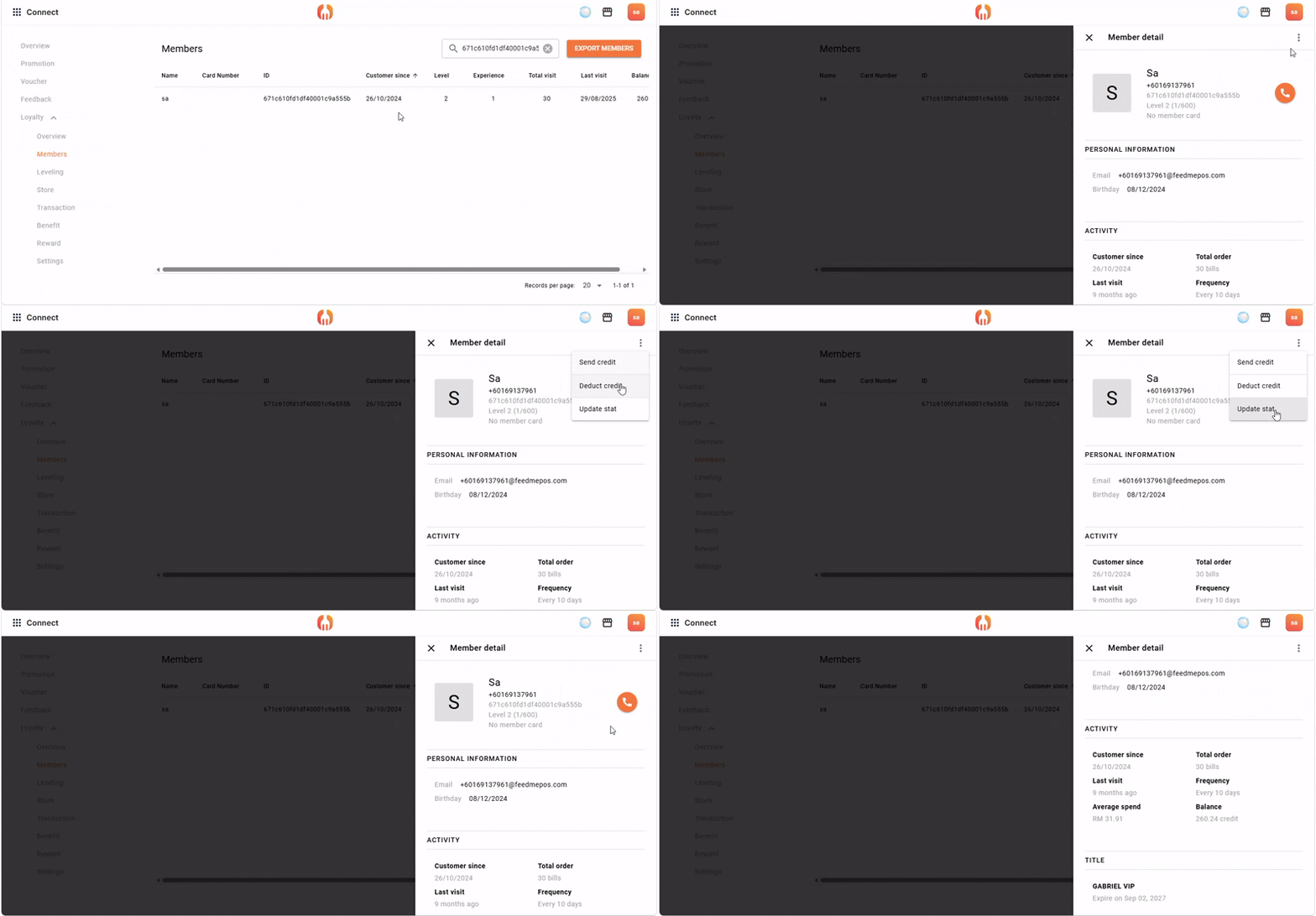
Step 2 — Send Credit / Deduct Credit / Update Status
Able for you to send credit point during:
- birthday rewards
- VIP membership
- promotional cashback
- compensation credits
- loyalty campaigns
Search and select the customer profile, select:
- Send Credit
- Deduct Credit
- Update Member Status
Step 3 — View Member Transaction History
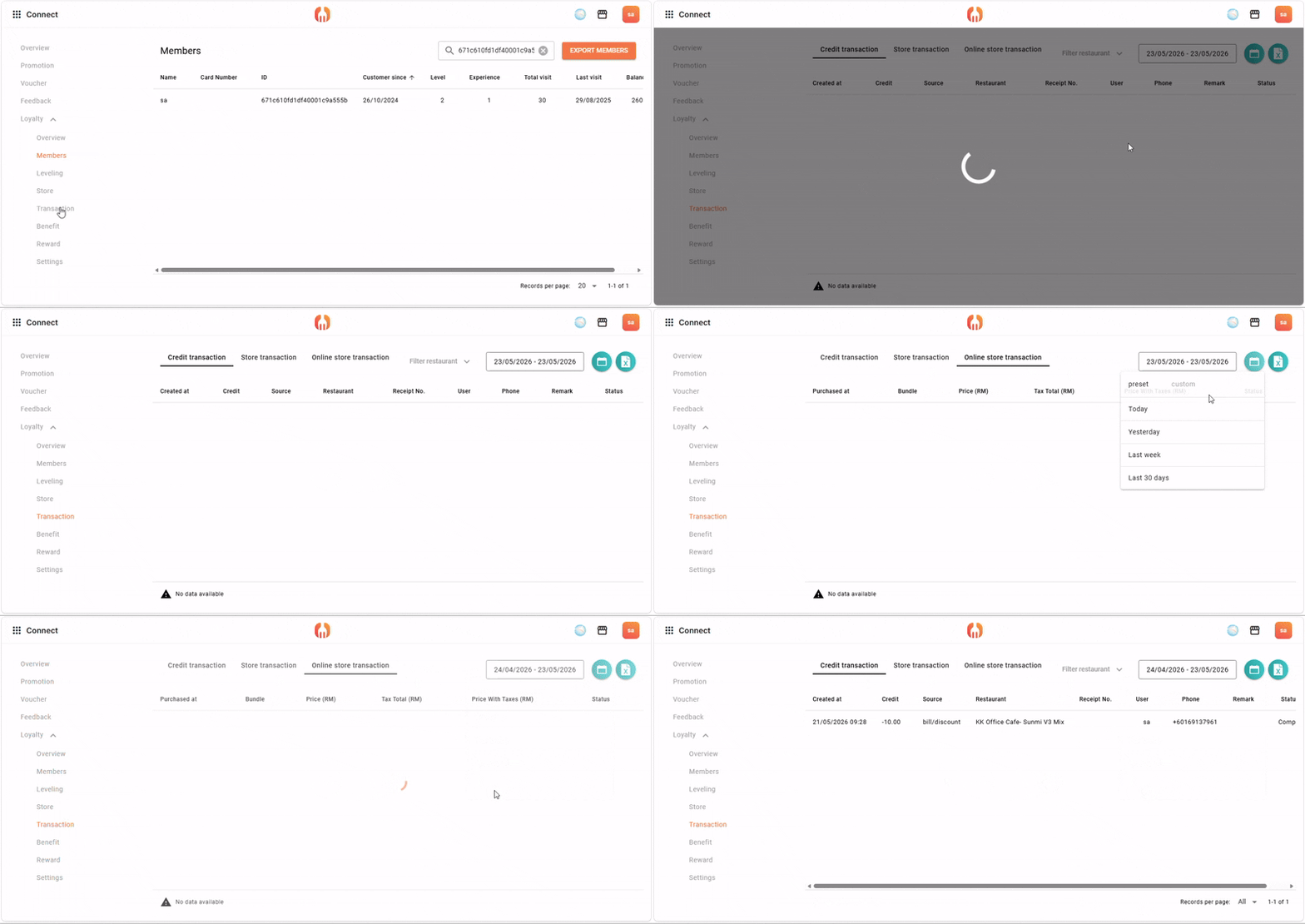
Member transaction history can be viewed in the portal for:
- Better customer insights
- Resolve disputes quickly
- Track repeat customers
- Analyze spending behavior
Access transaction history
Review:
- purchases
- rewards redemption
- credit deductions
- account activity
Best Practices for Restaurants in KL & Penang
Create Tiered Memberships
Examples:
- Silver Member
- Gold Member
- VIP Customer
more information can refer here
Use Promotional Credits
Examples:
- RM10 birthday reward
- Welcome credits
- Referral rewards
more information can refer here.
Looking to improve customer loyalty for your restaurant or café in Kuala Lumpur or Penang? Contact us today for member portal setup, loyalty system support, and restaurant management solutions.