


Genius POS System is packed with features to help manage your businesses.
Suitable for cafes, bars, food outlets, fast food restaurants, retail, car wash and many more!


Run your caferetail storerestaurantbusiness anywhere.
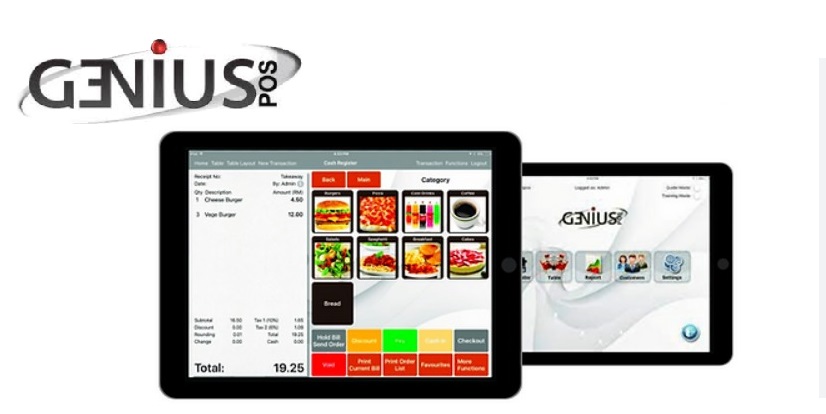
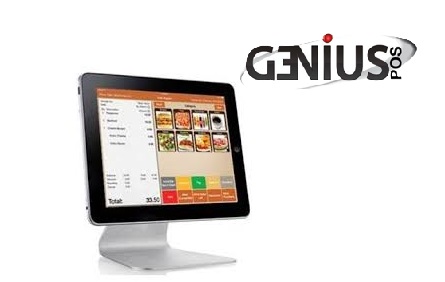
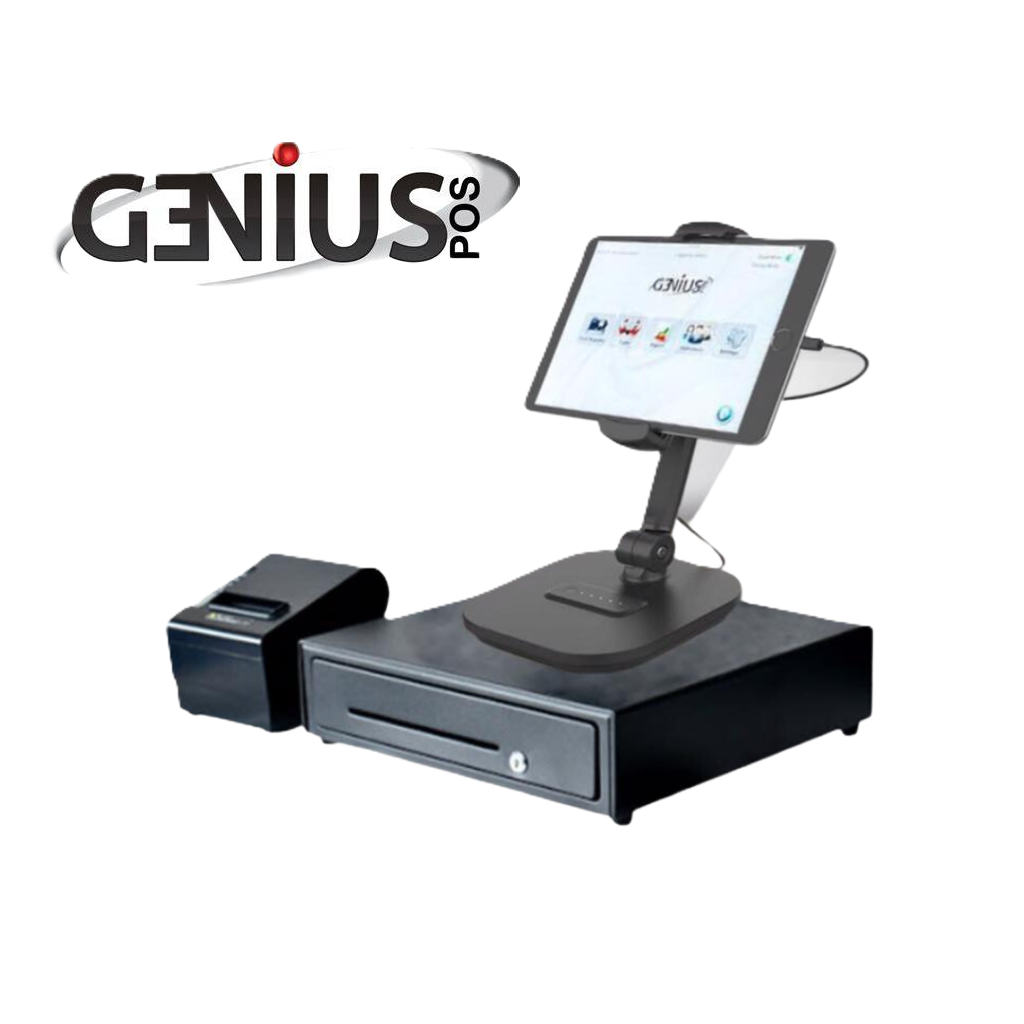
Look at how Genius POS System has helped our customers manage their businesses.
Cloud-based accessibility lets you manage your business with ease.
Genius POS System Tutorial Videos | Complete Training Guide
Access comprehensive Genius POS tutorial videos designed to help merchants understand system features, online ordering, transaction management, and POS operations. Perfect for new and existing users looking for Genius POS training and support in Malaysia.
Genius POS Price & Packaging
| Features | Lite No Cloud |
Lite With Cloud |
Pro No Cloud |
Pro With Cloud |
|---|---|---|---|---|
| First Payment | RM 2850 | RM 3090 | RM 3499 | RM 3859 |
| Monthly Fee | RM 40 | RM 66 | RM 99 | RM 124 |
| Yearly Renewal | RM 488 | RM 788 | RM 1188 | RM 1488 |
| Genius POS License | ✔ | ✔ | ✔ | ✔ |
| E-Invoice Module | ✖ | ✔ (RM 250, Renewal RM 150) | ✖ | ✔ (RM 250, Renewal RM 150) |
| Thermal Printer | ✔ | ✔ | ✔ | ✔ |
| Cash Drawer | ✔ | ✔ | ✔ | ✔ |
| Router | ✔ | ✔ | ✔ | ✔ |
| iPad Stand | ✔ | ✔ | ✔ | ✔ |
| Personal Training & Consultation | ✔ | ✔ | ✔ | ✔ |
| Lifetime Support & 1 Year Warranty | ✔ | ✔ | ✔ | ✔ |
| Select Plan |
LITE NO CLOUD
First Payment (RM2,850)
Yearly Renewal (RM488)
RM40/ Monthly
- Genius POS LIscense
- E - Invoice Module
- Thermal Printer
- Cash Drawer
- Router
- Ipad Stand
- Personal Training
- Consultation
- Lifetime Support
- 1 Year Warranty
LITE WITH CLOUD
First Payment (RM3,090)
Yearly Renewal (RM788)
RM66/ Monthly
- Genius POS LIscense
- E - Invoice Module (RM250, Renwal RM 15)
- Thermal Printer
- Cash Drawer
- Router
- Ipad Stand
- Personal Training
- Consultation
- Lifetime Support
- 1 Year Warranty
PRO NO CLOUD
First Payment (RM3,499)
Yearly Renewal (RM1,188)
RM66/ Monthly
- Genius POS LIscense
- Thermal Printer
- Cash Drawer
- Router
- Ipad Stand
- Personal Training
- Consultation
- Lifetime Support
- 1 Year Warranty
PRO WITH CLOUD
First Payment (RM3,859)
Yearly Renewal (RM1488)
RM124/ Monthly
- Genius POS LIscense
- E - Invoice Module (RM250, Renwal RM 15)
- Thermal Printer
- Cash Drawer
- Router
- Ipad Stand
- Personal Training
- Consultation
- Lifetime Support
- 1 Year Warranty
| Transaction | Fees |
|---|---|
| 0-200 / MONTH | RM 388 / YEAR |
| 201-1200 | RM 0.10 / TRANSACTION |
| 1201-5000 | RM 0.05 / TRANSACTION |
| 5000 & ABOVE | RM 0.025 / TRANSACTION |
ONLINE ORDERING
QR ORDERING + WEBSITE ORDERING + CUSTOMER DETAILS RECORD
- Transaction: 0-200/Month | Fee: RM388/ Year
- Transaction: 201-1200 | Fee: RM0.10/ Transaction
- Transaction: 1201-5000 | Fee: RM0.05/ Transaction
- Transaction: 5000 & Above | Fee: RM0.025/ Transaction
* GENIUS POS ONLINE ORDERING MINIMUM TOP UP CREDIT PREPAID RM300
❗ NOTICE!
1. Terminal Discount for E-Invoice Upgrade: Effective 1 January 2026, customers holding license numbers between 1500 – 3500 who upgrade to the E-Invoice module will be entitled to 20% discount on Terminal.
2. Old License Phase-Out Policy: License numbers between 0 – 3500 will no longer be valid for use as old license will no longer be compatible with current and future system softwares, and all affected customers must convert to PRO or LITE license before 1 January 2027.
Yes! Click the link below to try it!
https://ttechsolution.com.my/2019/07/06/how-to-activate-and-try-genius-pos
Yes, you do not need a cash drawer for your printer to work.
The different printer has a different printable column. It determines the width of your printing by adjusting the column count. Use test print to see the results. Ranging from 36 columns to 52 columns.
To backup, you will have to plug your iPad into iTunes.
In iTunes, select your device and go under the iPad’s App.
Scroll down till you see File Sharing & look for Genius POS.
Look for Genius POS.db & Images Folder, copy them to your preferred location.
To restore, replace Genius POS.db and copy all the images to the root folder. Images will automatically be copied into the Images folder upon the application start. Please refer to this image.In v1.200 onwards, you can backup your files using Dropbox.
Or you can watch the tutorial video.
Currently Genius Point of Sale (POS) System supports language listed below. For more, please contact us.
In v1.270 onwards, updates of language will be reflected in app immediately.
Czech, Dutch, French, German, Hungarian/Magyar,
Indonesia, Italian, Japanese, Korea, Spanish (Latin America),
Spanish (Spain), Thai and more!
Yes, just drag and drop the CSV file into the documents folder of Genius POS (full version).
Go under Import CSV in settings and select the file.
Right click to save the sample csv file.
Yes, you can, refer to the tutorial video.
Or, go to Genius POS setting, general and choose Login By Password, select QR Code.
And you can create QR Code, here’s the steps.
Create QR Code for login in Genius POS
1. First, go to
https://www.qrcode-monkey.com/
2. Then select “TEXT”, insert ur account password.
3. Create QR Code.
4. Download QR Code.
5. Open in Microsoft word and insert the QR Code that you downloaded, adjust the size for your own suitable printing.
6. You also can send it to your staff in image (soft copy) and store it in their phone, so next time they just need to take their phone and scan the image.
7. You can use it in Clock In/Out or Login.
One QR code only for one account password.
Contact us
ttechmarketing157@gmail.com
Get Your Free Trials Now!
Contact us today to download the trials and experience the system hands-on.