Designed to streamline workflows and reduce manual work, SQL POS empowers businesses with real-time insights, automated processes, and secure transaction management.
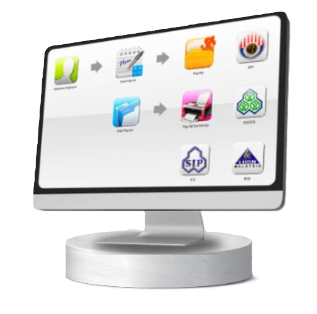
One click to process your monthly payslip, KWSP, SOCSO, PCB, EIS & HRDF.
SIMPLE LEAVE PROCESS
Handle employees leave in calendar mode
STATUSTORY COMPLIANCE
Fast updates and uploads to comply with latest EA, Borang A, 8A, CP39 forms and other governments bodies such as LHDN, KWSP, SOCSO & EIS.
EASY DISBURSEMENTS
21 banks e-payment payroll disbursement options. All government reports have e-submissions options.
LINKING WITH SQL ACCOUNT
Easy posts SQL payroll transactions into SQL account generalledger.
UNLIMITED USER ACCOUNT
Register as many user account as per needed.
Our Support
ONLINE SUPPORT - 1 YEAR
Including phone calls, email & internet remote support and program updated. Second year optional service subscription starting from RM500, additional charges RM100 per additional concurrent user.
ONSITE TRAINING & SETUP - 1 TIME
1 Session onsite training. Additional charges might incurred outside KK area. Additional onsite training will be charge RM600, additional online training will be charge RM250.
SUPPORT SPECIFICATIONS
- Developed and optimized for Microsoft Windows Ecosystems
- Supported Languages: English, Chinese, Bahasa Malaysia, Bahasa Indonesia
Prices above are for x 1 Single-company (SC) plan, and all payroll plans cannot be upgraded for more staff, unless upgraded to a Multi-company (MC) plan [See Below].
For example: Upgrading from SC’s Payroll 20 to 50 staffers, you can choose the MC 50 staffs plan and calculate the differences as such: RM 2,700 (MC 50) - RM 1,600 (SC 20) +
RM 216 (admin fees) = RM 1,316 (One-Off)
NOTE: SC’s Payroll 10 is the most basic plan and cannot be upgraded to any MC plan for extra staff. One would need to resubscribe to either a SC Payroll 20 and above or direct to
an MC plan.
Multi - Company
Selling Price (One-Off)
Support Renewal (Optional)
20 Staffs (20 Active Employees)
RM 2,450
RM 600
50 Staffs (50 Active Employees)
RM 2,700
RM 700
100 Staffs (100 Active Employees)
RM 3,000
RM 850
150 Staffs (150 Active Employees)
RM 3,200
RM 950
200 Staffs (200 Active Employees)
RM 3,400
RM 1,100
250 Staffs (250 Active Employees)
RM 3,900
RM 1,200
300 Staffs or Unlimited (300 or more Active Employees)
RM 4,700
RM 1,350
Multi-company plans (MC) all provides a maximum of x3 companies per plan, so a 20 staffs plan means each company from the allocated 3 companies has 20 active
headcounts each.
If you wish to upgrade MC’s 20 staffs to a 50 staffs plan, then calculation of differences is as such: RM 2,700 (MC 50) - RM 2,450 (MC 20) + RM 216 (admin fees) = RM 466 (One-
Off)
Optional Modules
Description
Selling Price (One-Off)
Data Import Module
Thumbprint attendance data import to SQL payroll.
RM 800
Loan Module (* Max 3 Companies)
Record staff loans and schedule repayment through salary deduction
RM 800
DIY Fields Module (User Defined Fields)
Customizable payslip format / system field
RM 800
Add Company Module (* Max 50 employees)
Max 50 staffs for 4th company
RM 900
SQL View Advance Security Module
Can set HR user permission for view each company
RM 900
Network Client License Module (Concurrent Users)
For single and multi-company
RM 900
Batch Email Payslip Module
Button to click and blast payslip via email by batch/ department.
RM 1,300
Start Your Journey Today
Book a Demo and Receive Our Step-By-Step Assistance.