
FeedMe Membership Leveling:
A Complete Guide to Understanding Membership Levels, Rewards & Cashback Systems
What is FeedMe Membership Leveling?
When running a food or retail business, merchants often face one common problem:
👉 Customers visit once but never return again.
By using FeedMe membership leveling (membership tier system), the FeedMe membership system helps businesses through:
- Accumulating reward points from purchases
- Automatically upgrading membership tiers
- Providing different rewards based on membership levels
To encourage customers to continue spending and improve customer retention.
Why is FeedMe Membership Leveling important?
Besides traditional membership cards or stamp collection systems,
FeedMe digitalizes and automates the entire membership system, allowing businesses to:
✔ Automatically record customer purchases
✔ Automatically calculate points and membership levels
✔ Automatically distribute rewards and promotions
👉 No manual tracking needed and fewer human errors.
5 Core Features Every Restaurant Owner Must Know:
1. Rewards (Reward Settings)
Customers spend → earn points →open the membership page → view redeemable rewards How merchants set up Rewards:
1. Go to FeedMe Portal > top-left icon > Connect > Loyalty
2. Select the “Rewards” module > New Reward
3. Create a reward by adding the name, description, usage type, and reward effect such as:
- Free drink
- RM5 discount
- Buy N Free N
4. Set the discount type (% or fixed amount) and the required amount to unlock the reward.
5. Merchants can also choose how rewards are earned (QR scan, takeaway, delivery) and how rewards can be used (within a certain number of days or during selected periods).
6. Select specific outlets or all outlets, then save.
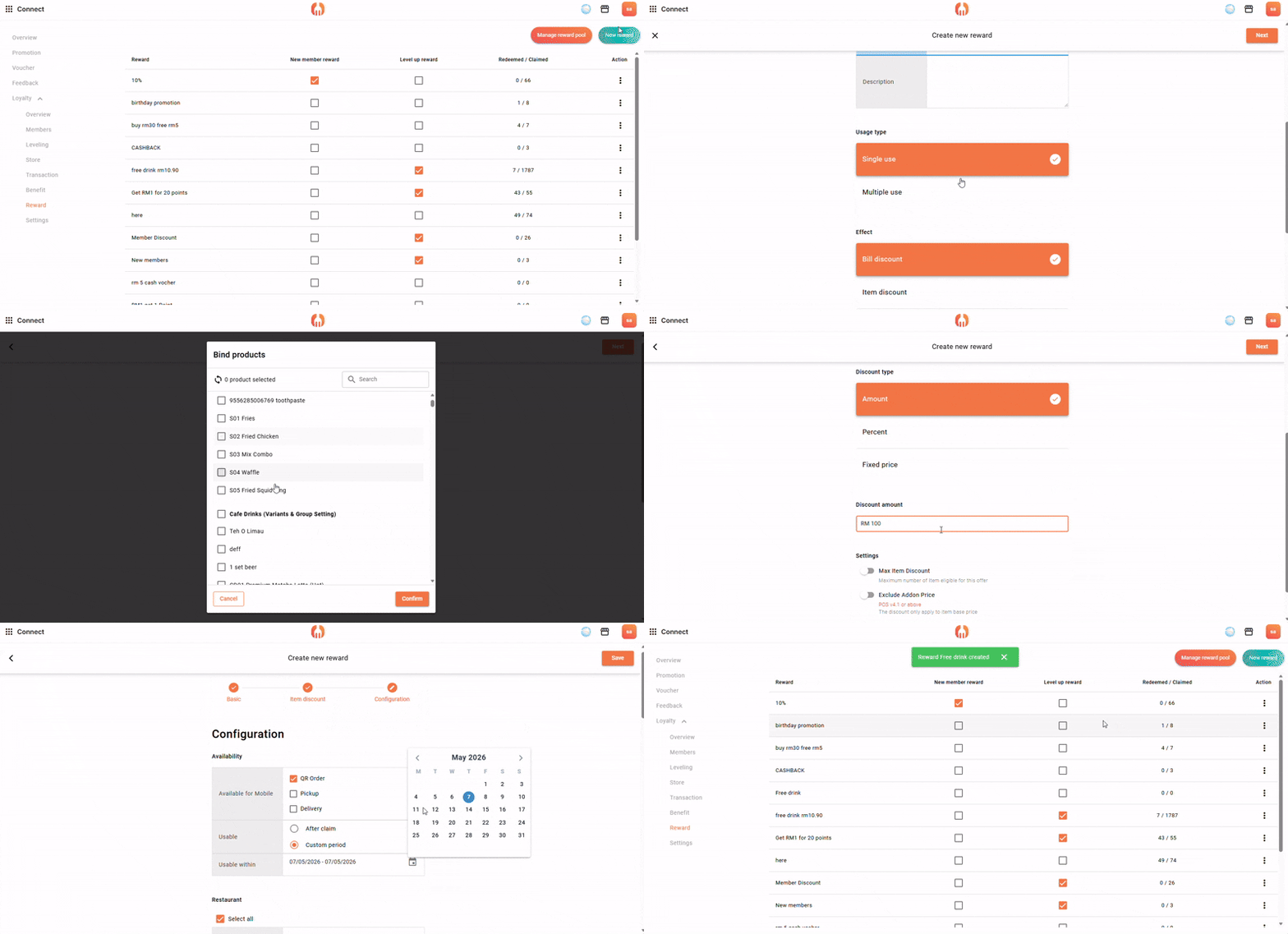
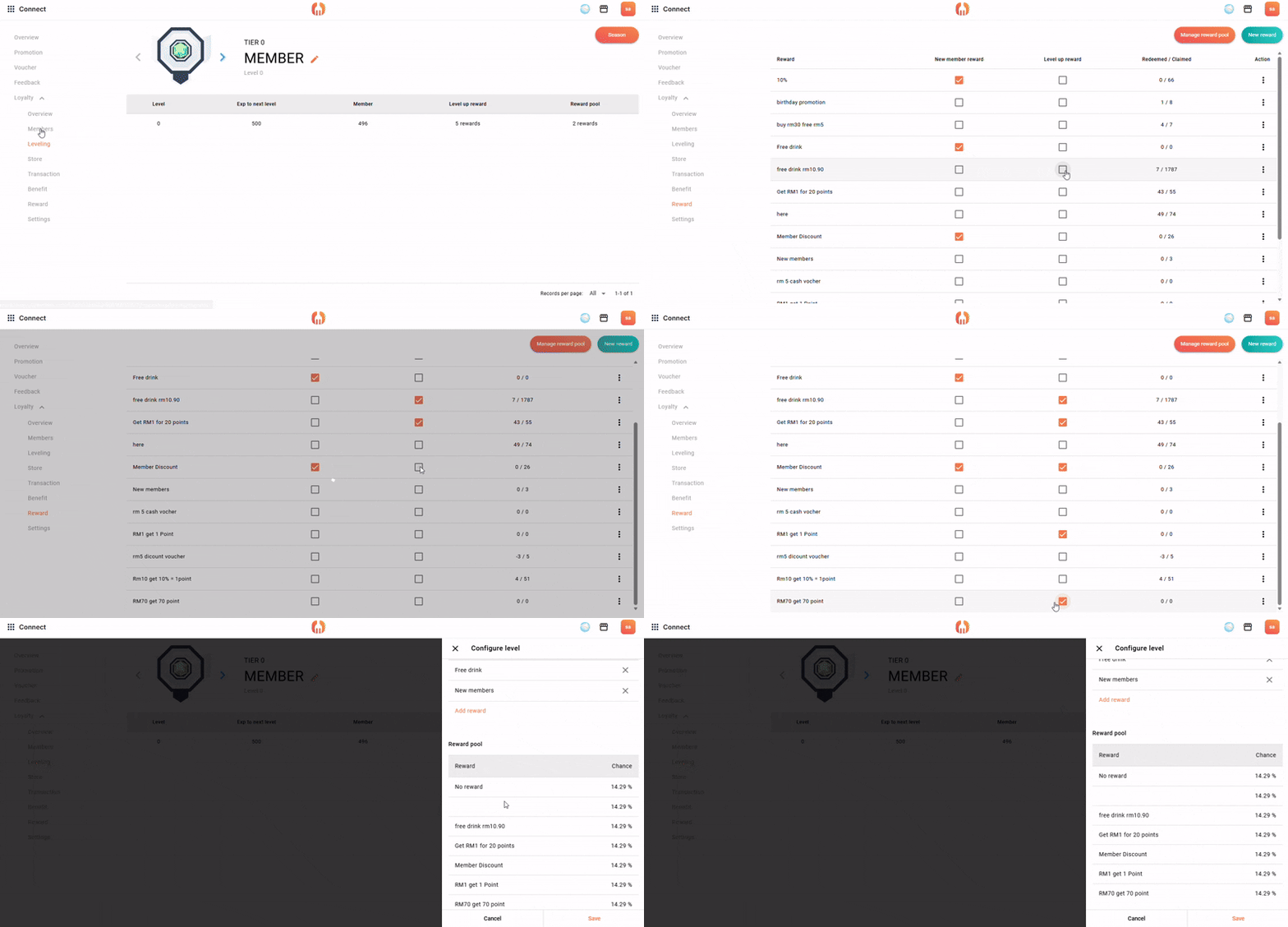
* rewards for new member, or level up member can be direct ticked in the list.
2. Benefits(Membership Benefits)
After customers become members:
👉 Every purchase will automatically enjoy member discounts, reward points, and other benefits
👉 No manual claiming or extra steps required
1. Go to “Benefits” > “New Title”, set the name, then create the benefit.
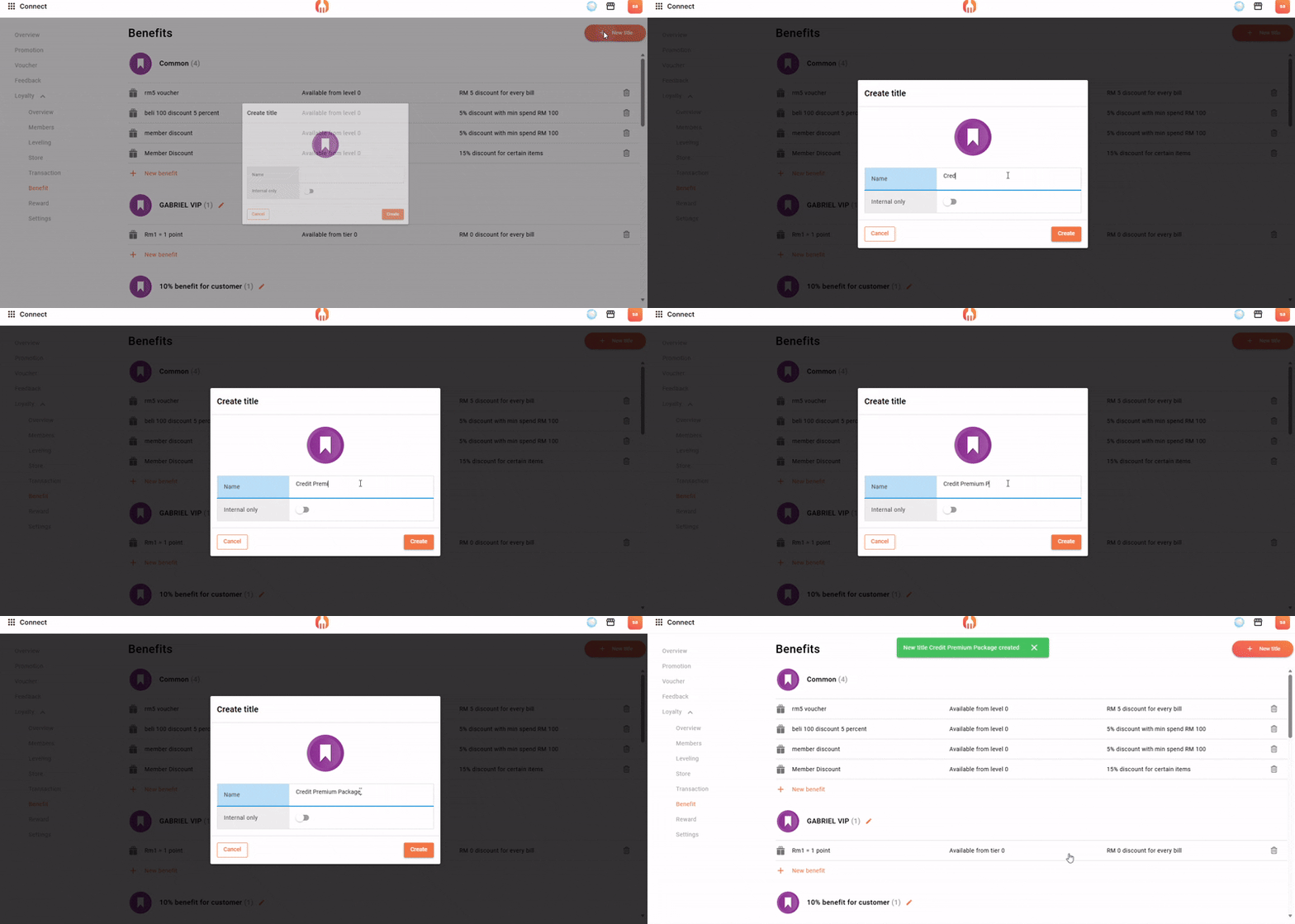
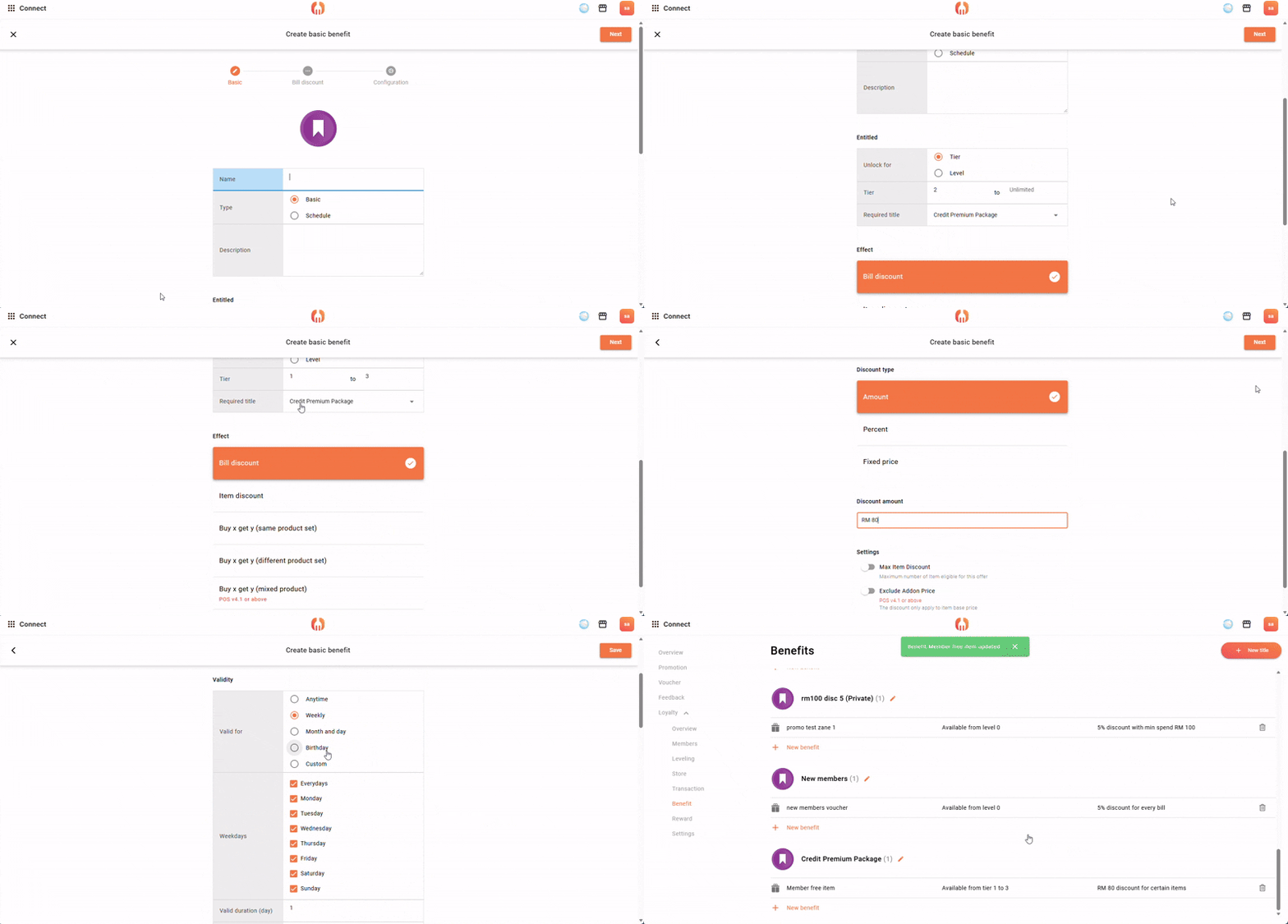
2. Find the benefit you created and add a new benefit.
3. Set the name, usage duration, and description.
4. You can select the tier or level and define its number range.
Example:
- Welcome (tier 1): Free dessert (level 5)
- Bronze (tier 2): 5% discount (level 31)
- Silver (tier 3): 10% discount (level 87)
- Gold (tier 4): Exclusive promotions (level 100)
5. Select and configure the reward effect.
Example:
- Free dessert
- Buy 1 Free 1
- Meal set promotions
3. Member Store(Member Store)
Customers enter the membership page:
👉 Browse redeemable products using reward points
👉 Use points to exchange for items or rewards
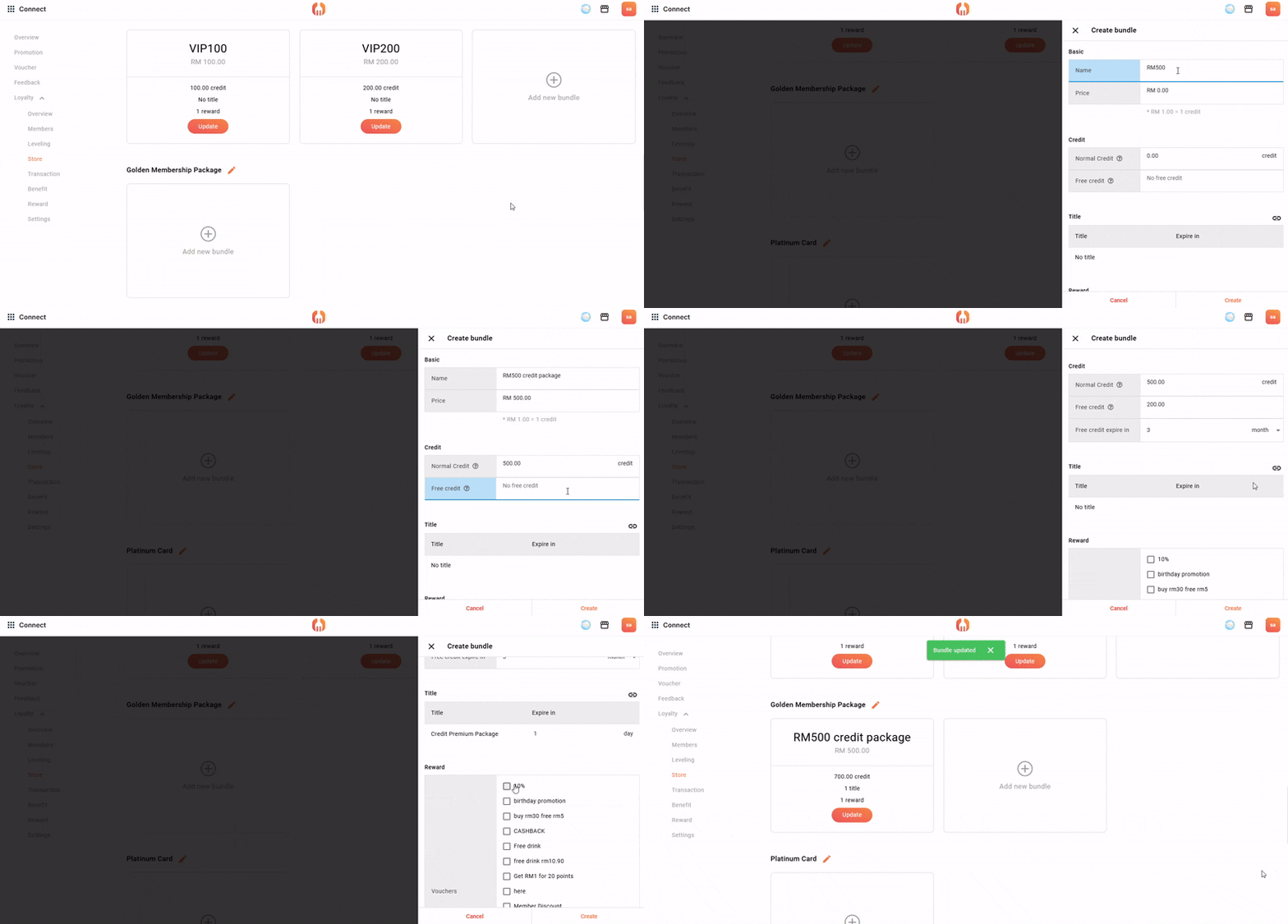
1. Go to “Store” > “New Category”, then add a category name.
2. Find the category and click “Add New Bundle” to configure the bundle name, price, redeemable points required, bonus points rewarded, and redeemable products.
3. Under Title, select the benefit you want to connect. Under Reward, you can select multiple rewards.
4. After completing the setup, click create.
4. Membership Leveling(Membership Tier System)
FeedMe membership levels are usually divided into:
- Welcome(Beginner)
- Bronze(Basic)
- Silver(Advanced)
- Gold(Premium)
Each level comes with:
- Different point multipliers
- Different rewards
- Different membership benefits
1. Set membership levels
Example:
- Welcome(0–99)
- Bronze(100–499)
- Silver(500–1499)
- Gold(1500+)
2. Connect features
Within each level, connect:
👉 Rewards
👉 Benefits
Example:
| Level | Rewards | Benefits |
|---|---|---|
| Bronze | Basic rewards | 5% discount |
| Silver | Higher rewards | 10% discount |
| Gold | VIP rewards | Exclusive promotions |
3. Automatic operation
Customers spend → accumulate points → upgrade automatically
After leveling up:
👉 Automatically unlock higher benefits
👉 Automatically receive better rewards
How to use Membership Leveling:
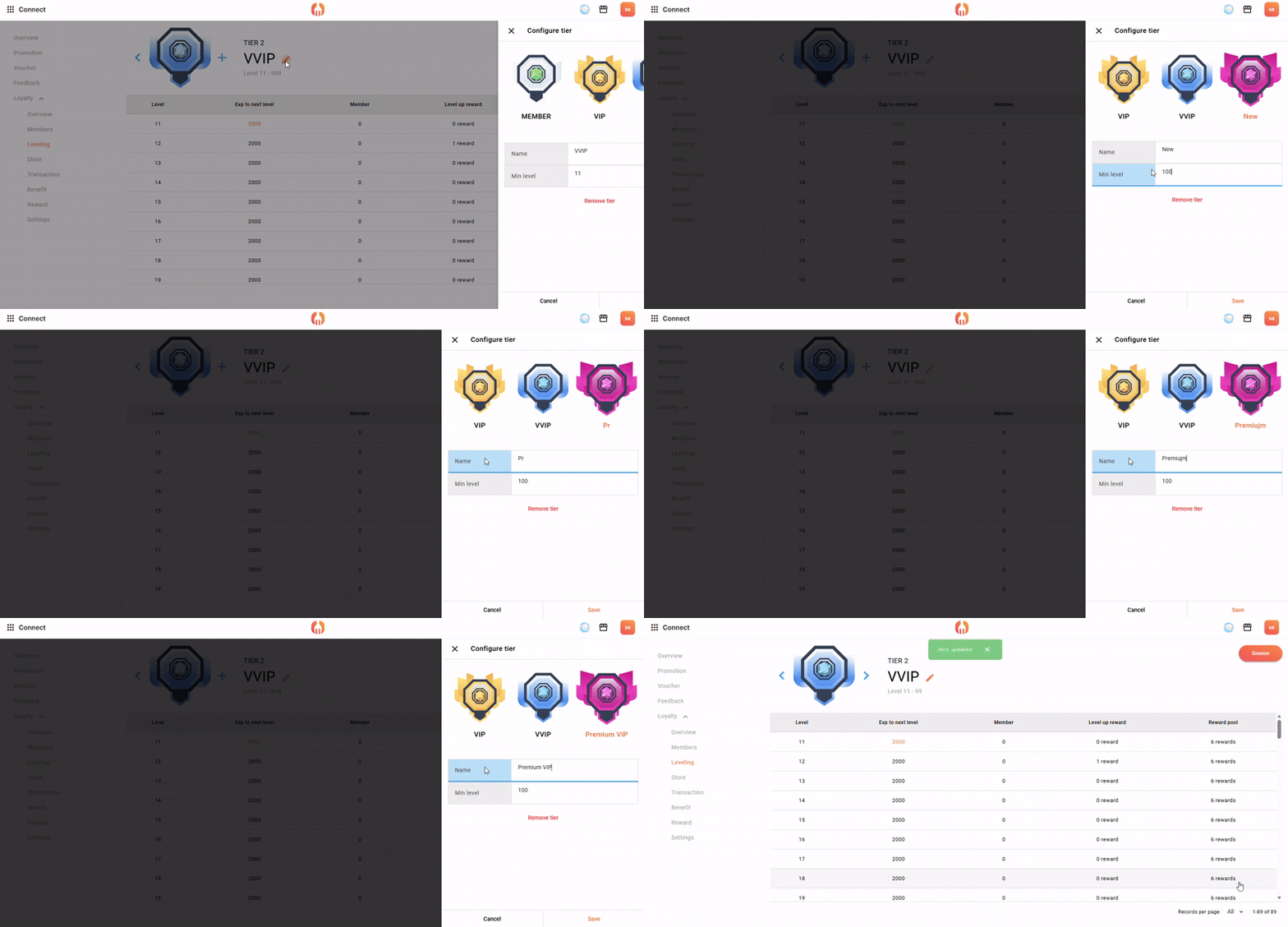
1. Click “Tier”, add a new tier and enter the name and minimum level > Save.
2. Under each tier, you can select the level and set the required amount of experience (XP) needed for leveling up.
Set “On Level Reward” to choose the reward. When a member reaches that level, they will automatically receive the level-up reward.
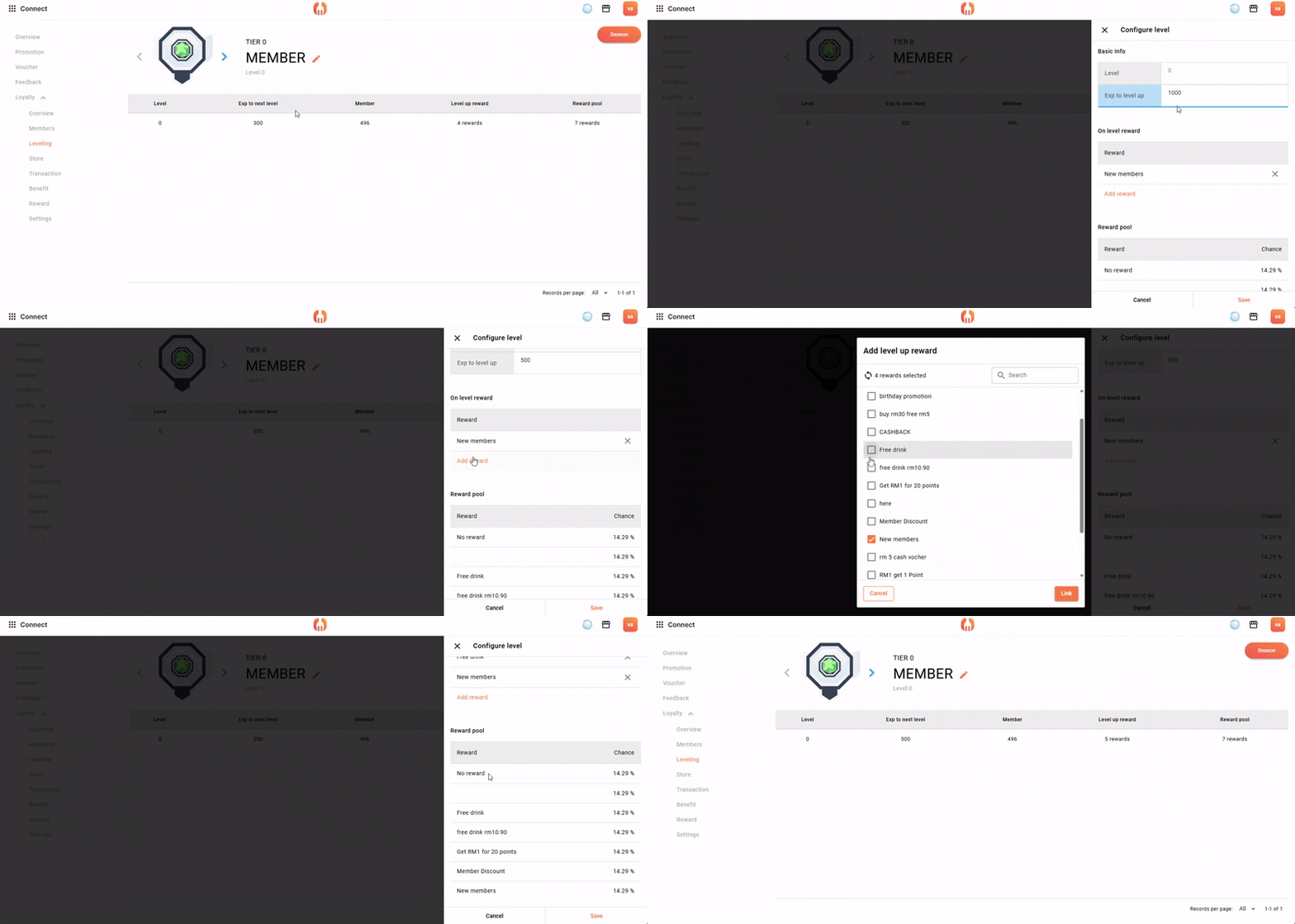
* Every RM1 spent equals 10 XP.
3. All upgrade rewards selected in “Rewards” will appear in the Reward Pool, where members will have a chance to receive those rewards.
5. Cashback(Refund Mechanism)
After payment, customers will see:
👉 “You have RM5 available”
When selecting a store for their next purchase:
👉 It encourages customers to return and spend again
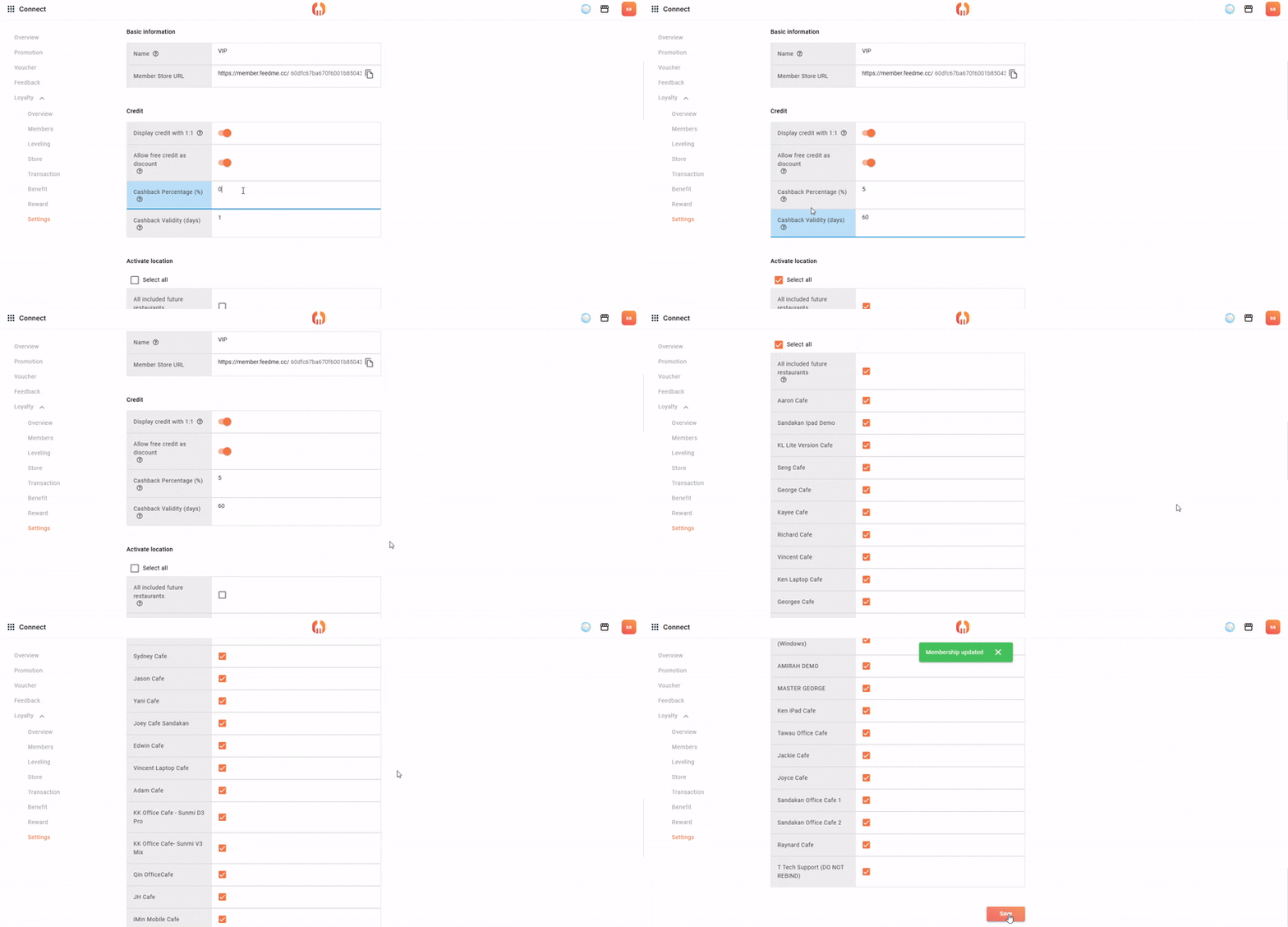
How to set up Cashback:
1. Go to “Setting” > “Cashback”
Customers earn cashback every time they spend, which can be used for future purchases.
Example:
- Spend RM100 → RM5 cashback
- Or: 5% cashback
2. Cashback validity
Cashback must be used within a set period.
Example: valid for 30 days.
3. Applicable stores
Select which outlets can use this program.
Example: only selected branches.
Want to learn more? Contact us for tailored advice
If you would like to better understand how FeedMe membership leveling can be applied in your store,
or want to optimize your existing membership system and operational workflow, we can provide practical solutions.
Whether you are just planning your loyalty system or aiming to improve customer retention, our team can offer recommendations based on your business model.
👉 Contact us now for a free consultation
⚙️ POS + FeedMe integration support
🤝 Long-term technical & operations optimization support