Go to visit MyInvois Portal ( this is a platform to store all the submitted invoices ) to complete the registration form and verify with your email.
* If your first time login to MyInvois, you can visit MyTax to get tax information and get into MyInvois. Here is the full guidance.
**The mails from MyInvois will be sent to email where you filled in the MyInvois portal.**
(2) Assign FeedMe as Intermediary
Move to “Taxpayer Profile” > click “Switch Taxpayer” at the top-right corner > select your company profile (that requires to assign as an intermediary) > Select “Add Intermediary” >
Fill in FeedMe’s details:
– Name: FEEDME POS SDN.BHD.
– TIN: C25817841080
– BRN: 201801046117
After completed the steps, then you can update the date & permissions allow and “Save Intermediary”.
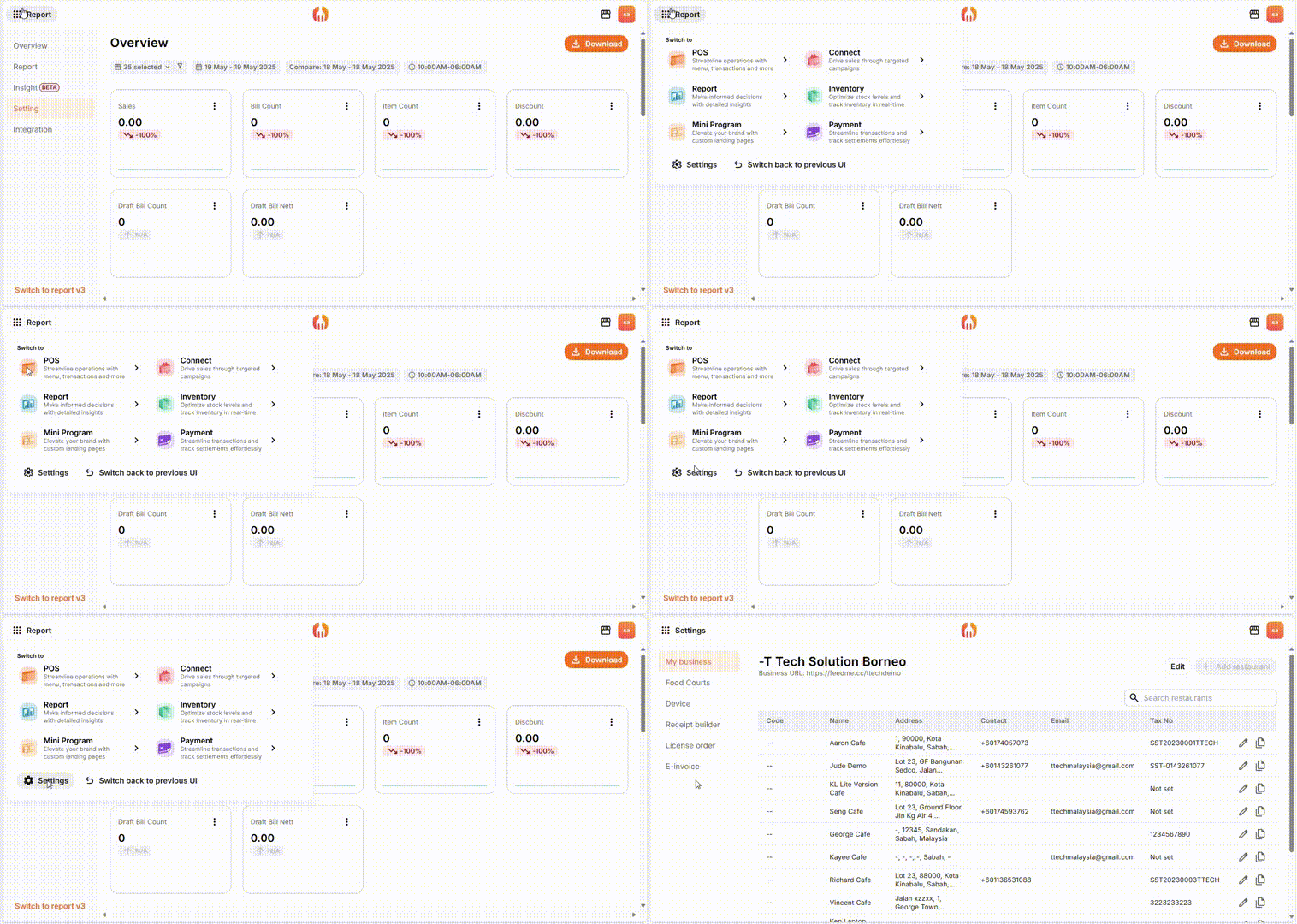
1. In the portal, click the top-left icon, find the “Setting”.
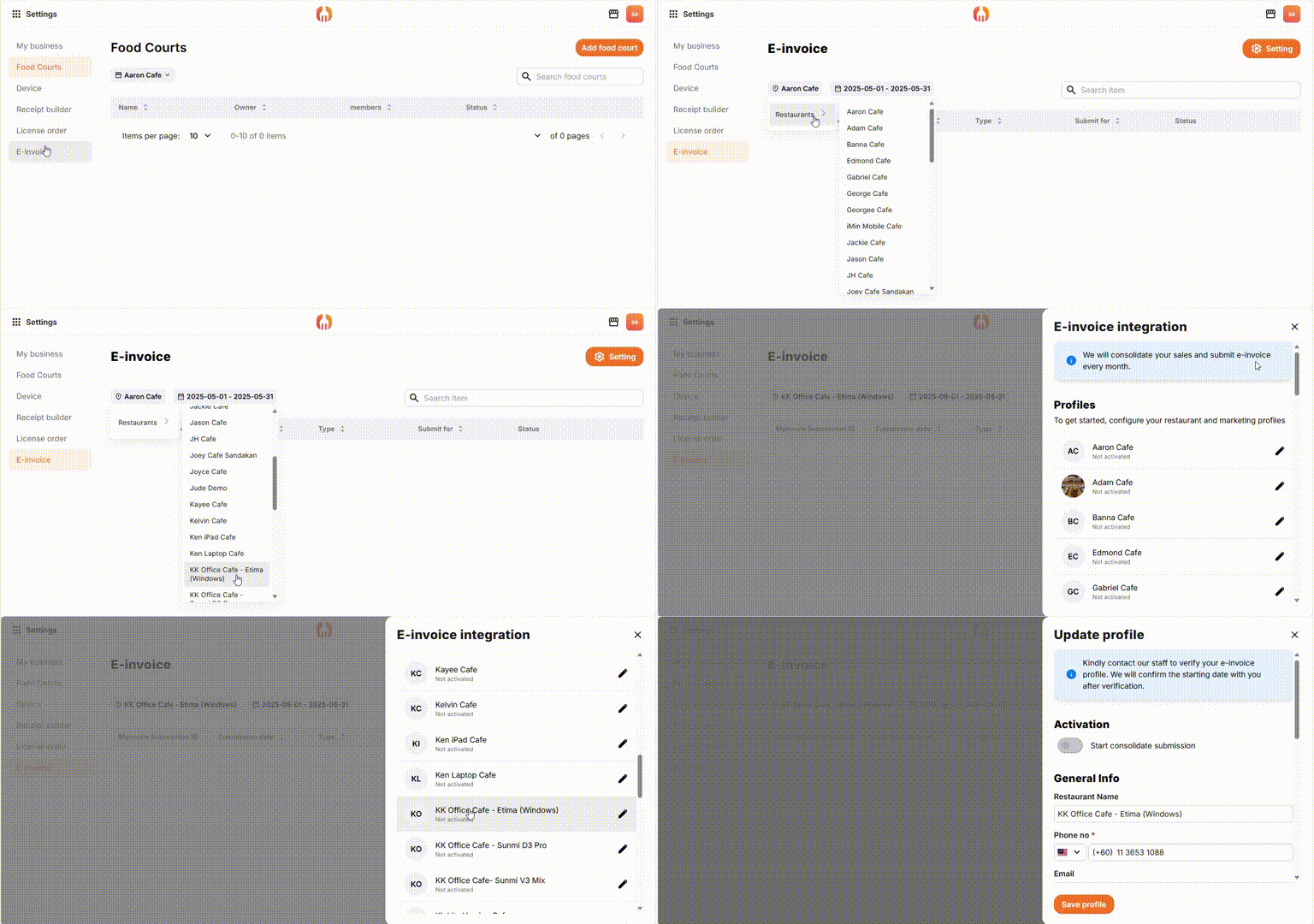
Step 2: Under E-Invoicing, find your restaurant. After selected your restaurant, click “Setting”, and find your Profile.
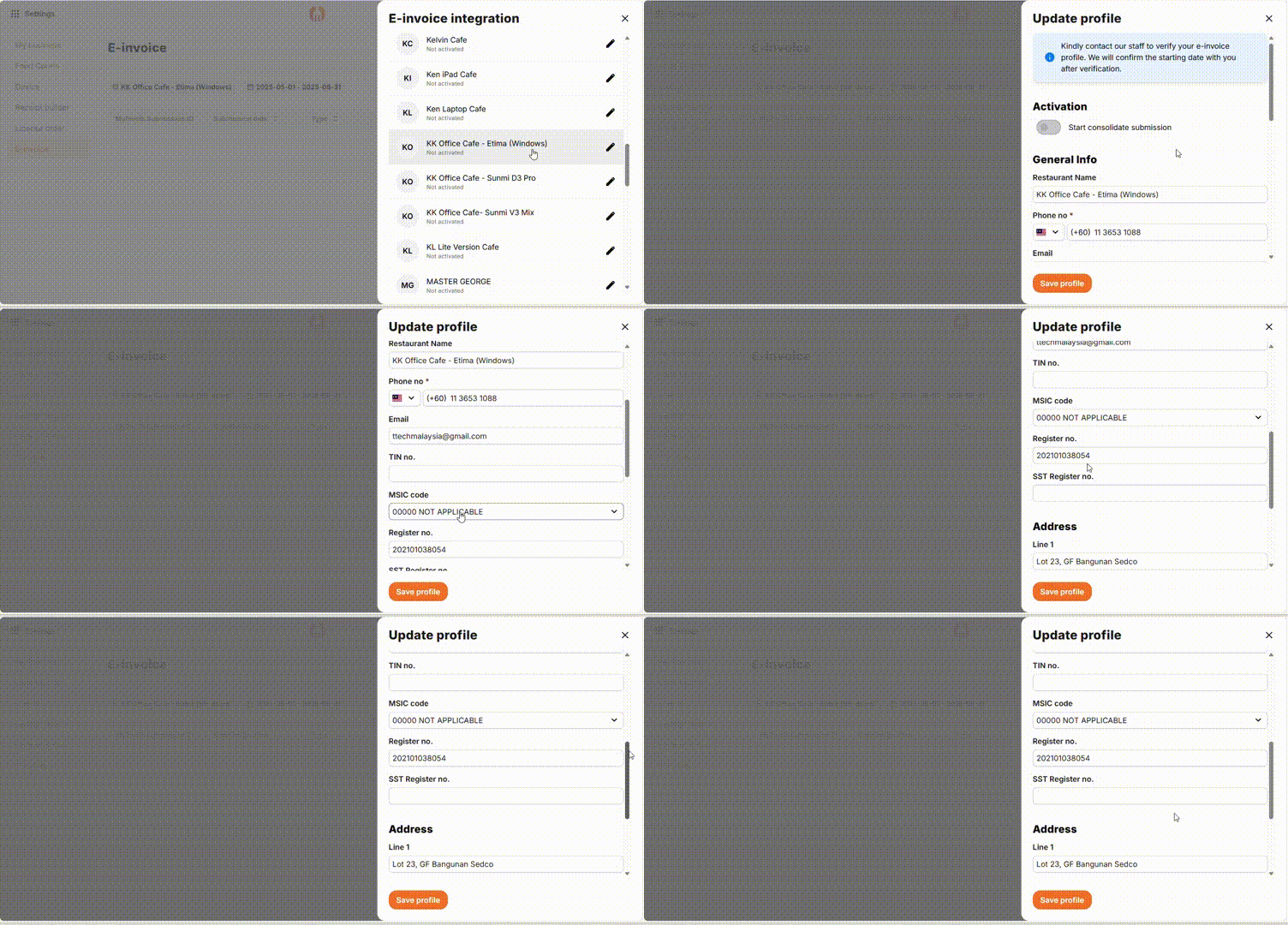
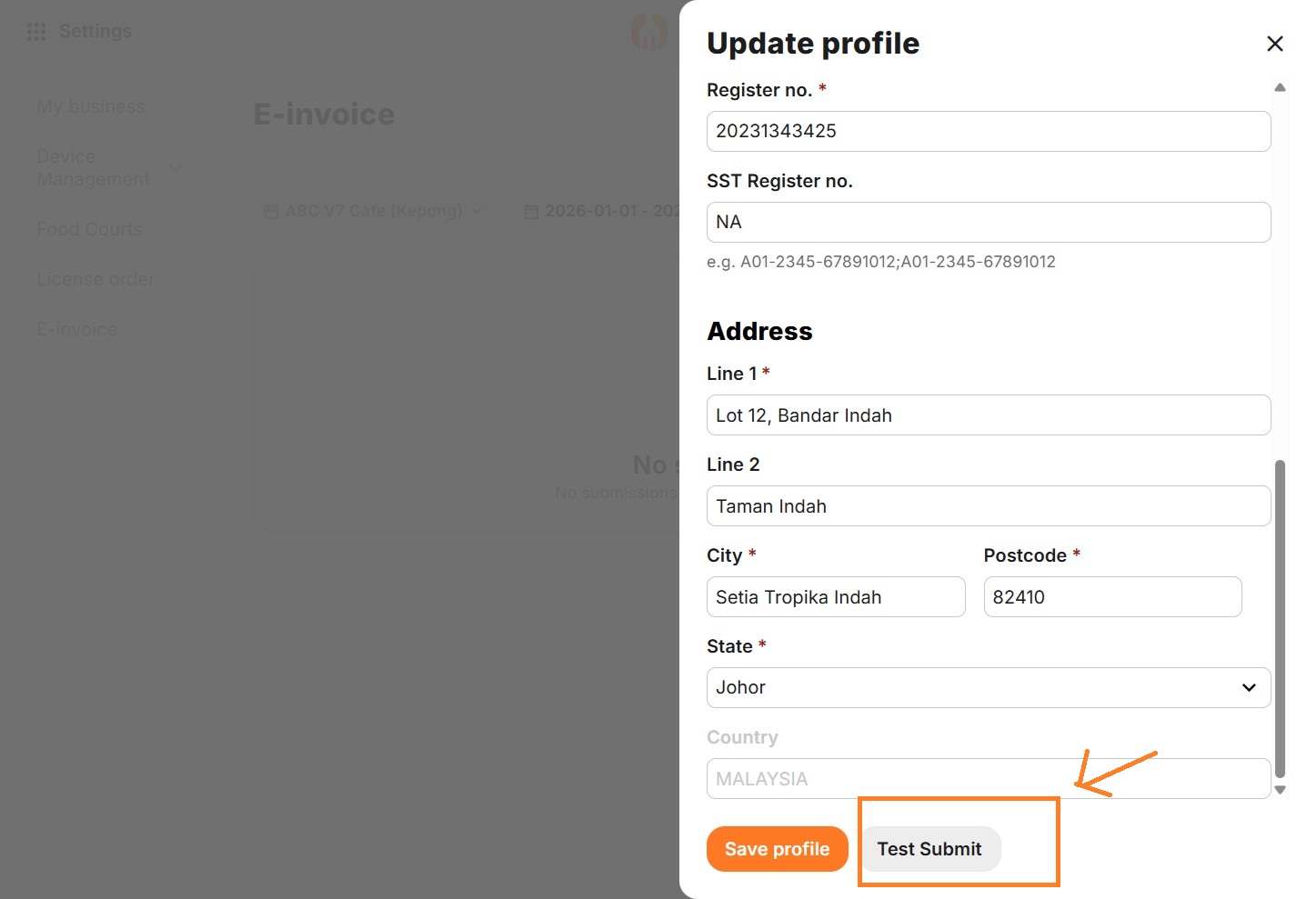
Step 3: Fill in all your details, then “Save Profile”.
*Please double check your TIN and Business Registration Number is filled in correctly to avoid getting invalid e-invoice.
*If SST registration number not available, can put NA.
If you (or merchant) has registered the SST but haven’t applied the charge, you will need to update a reason under the “Update Tax Exemption Reason“.
**Please take note that all the mails from FeedMe regarding e-invoice will be sent to email in this profile. **
(4)After you’ve done all the setup, please notify us to activate your e-invoice from HQ side.
*Don’t forget to upgrade your FeedMe POS to V7
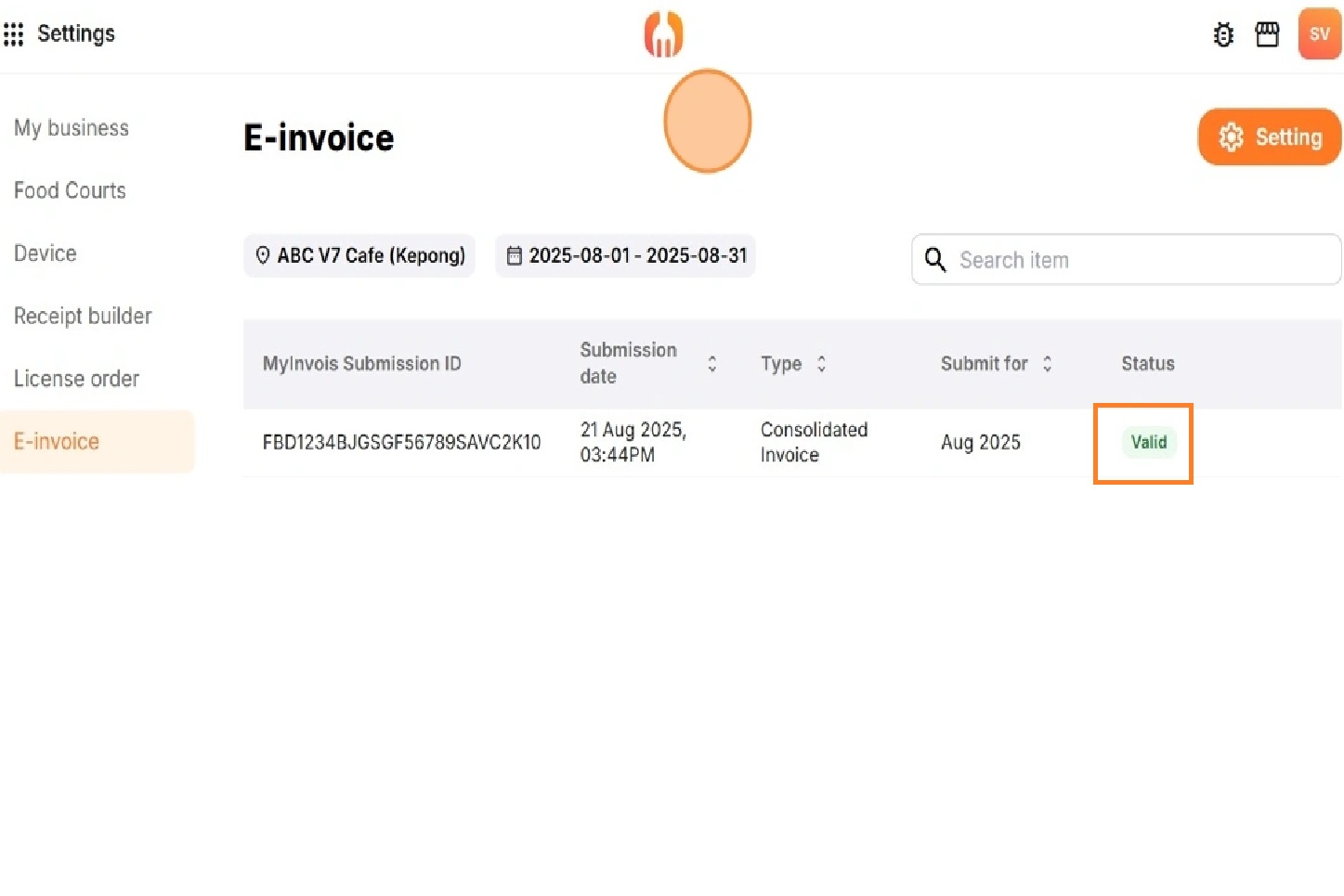
Updated: After you fill all your details from this section. “Test Submission” and “Submit” for create zero sales submission
If the test submission record shows Valid, means that the integration is considered Successful.
Frequent Ask Questions:
Q1. How did I know if any e-invoice fail for consolidated submission?
You will receives the notifications in your restaurant email if e invoice failed to submit.
Q2. How can I void/ cancel E- Invoice? Can I resubmit it?
If you found your E-Invoice submitted with the wrong information, you can resubmit E-Invoice again in the FeedMe App, or you can directly cancel the wrong invoice in the MyInvois portal.
For consolidated E-Invoice, FeedMe portal permits to cancel any consolidated submission, you can do the cancellation in MyInvois but it will not sync to FeedMe.
Q3. I want to cancel the wrong invoice, but already submit more than 72 hours, how can I do?
After submission cancellation is permitted in MyInvois. You can only submit credit note or debit note to “amend” the invoice.

Add a Comment
You must be logged in to post a comment