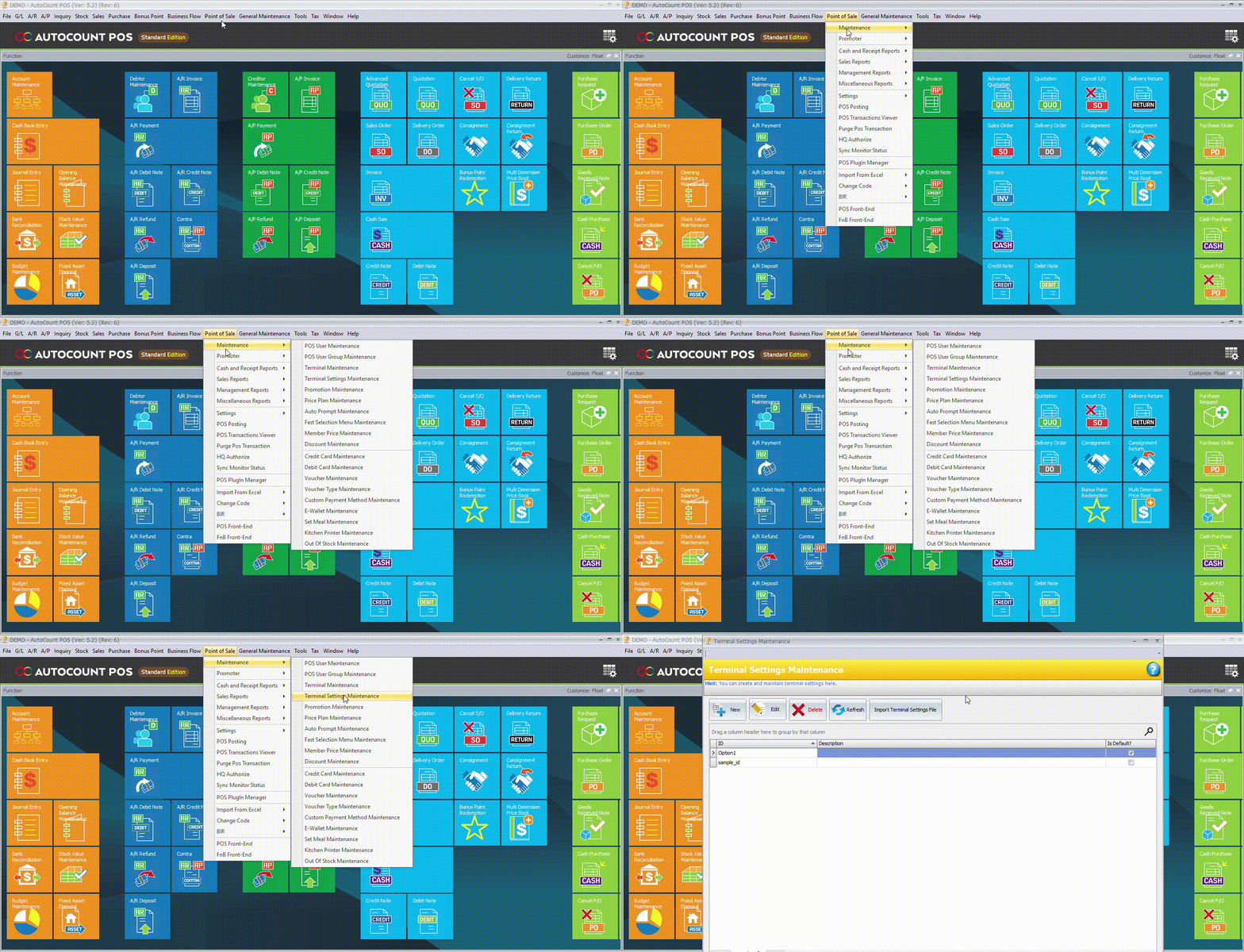
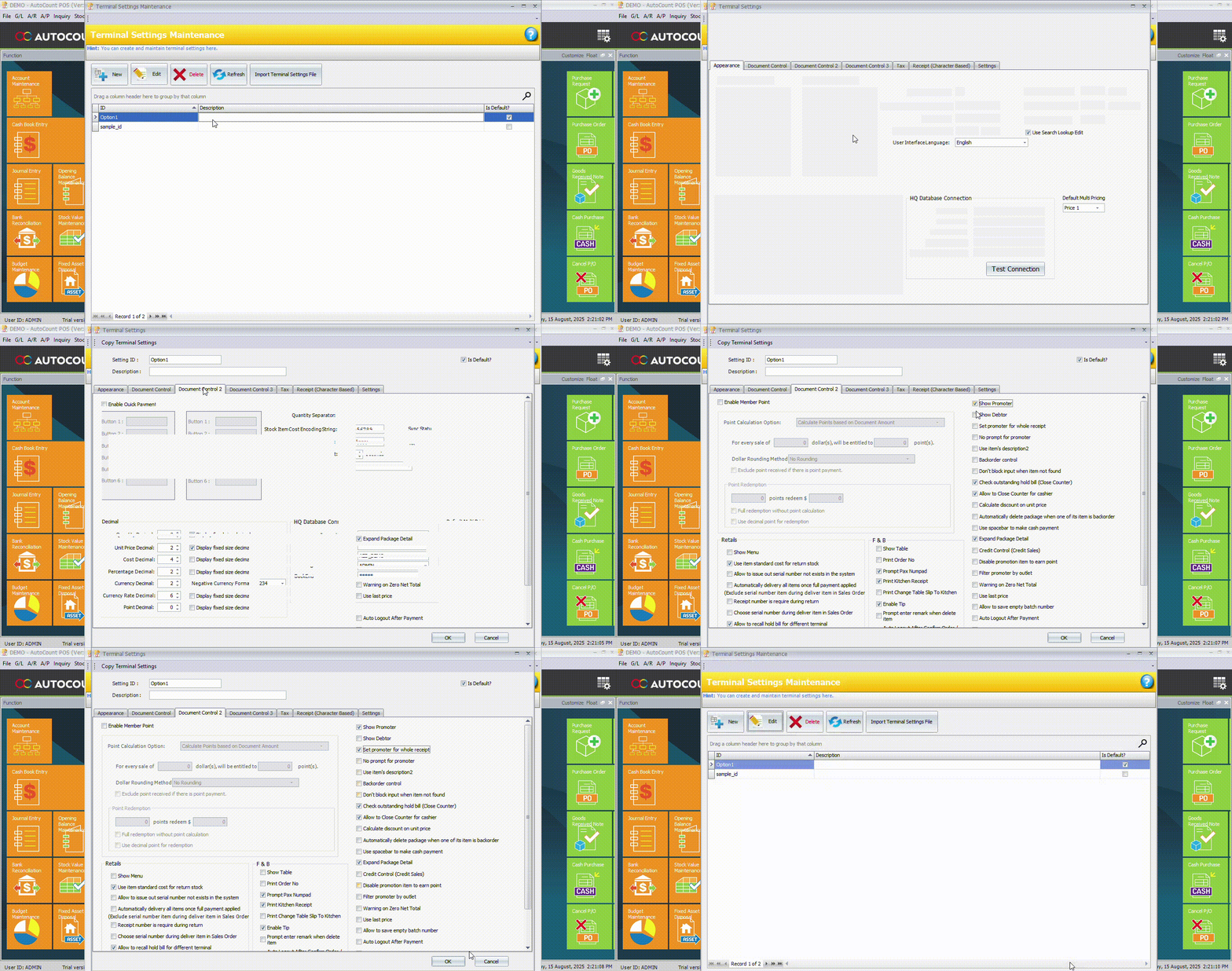
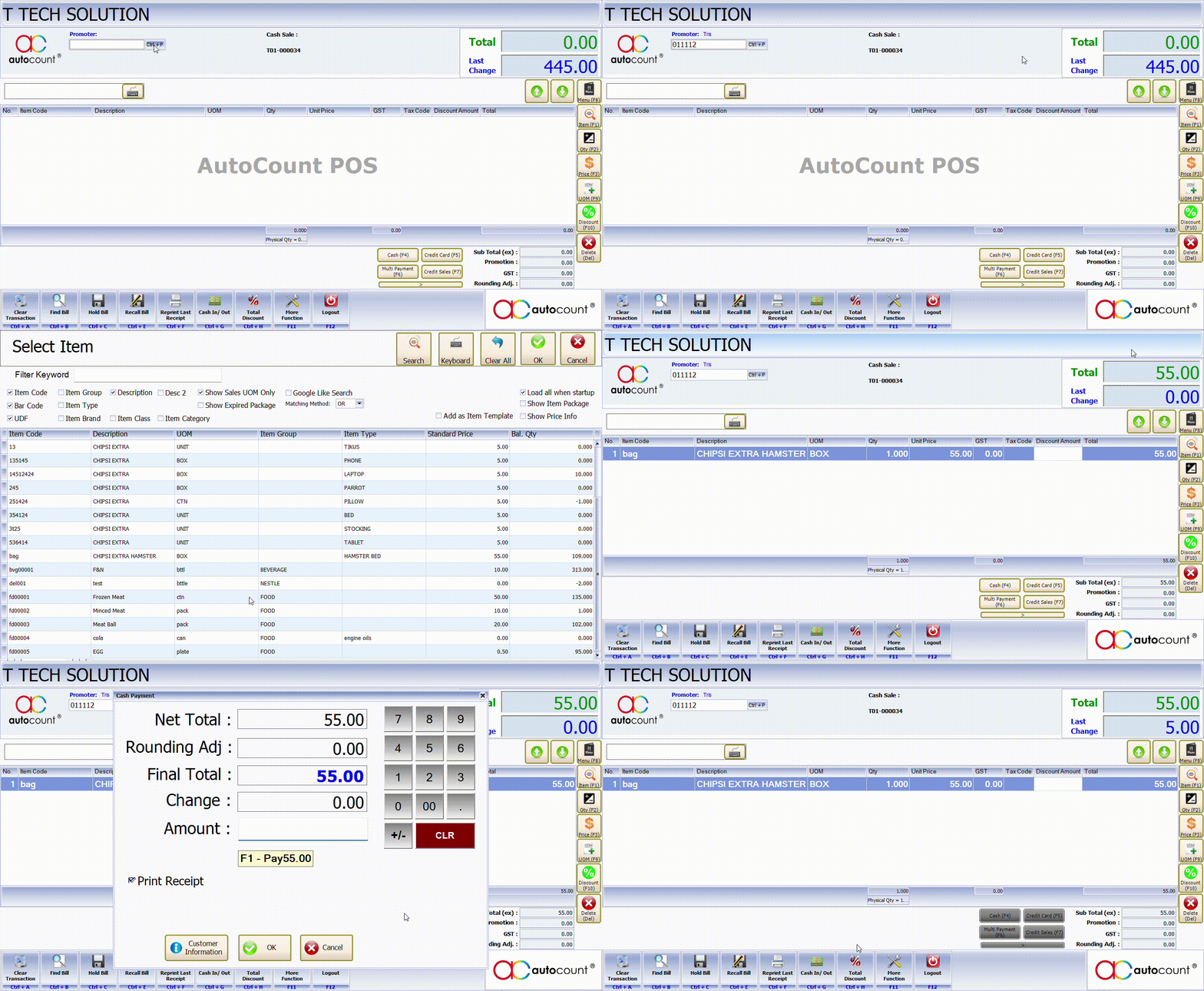
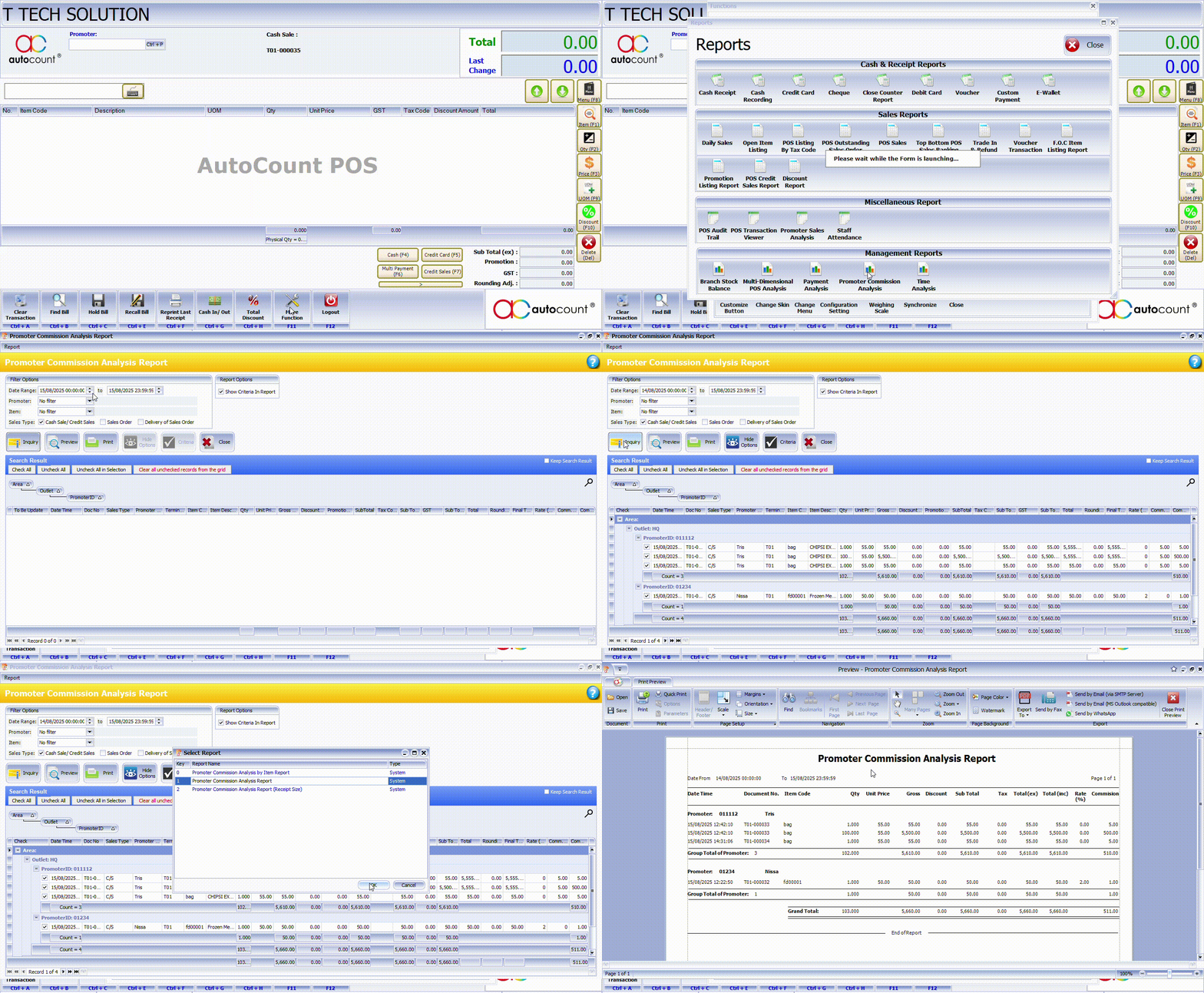
马来西亚AutoCount POS 推销员销售记录与佣金计算操作指南 August 16, 2025 在零售店经营中,AutoCount POS 的销售成绩和佣金管理帮助您轻松记录每位推销员的业绩、分析销售数据,还能自动算出佣金。 这篇文章会带你一步步了解: 如何在 AutoCount 后台开启推销员功能如何在 POS 端记录推销员销售如何查看推销员的销售与佣金报表 1. 在 AutoCount 后台开启POS 设定登录 AutoCount 后台 > 进入 Point of Sale → Maintenance → Terminal Setting Maintenance 点击连接POS(Default打勾)的ID > “Edit” > 寻找并勾选:Show Promoter(显示推销员)Set Promoter for the Whole Receipt(整单设置推销员)点击保存,并同步到 POS 前端 2. 在 AutoCount POS 端记录推销员销售在 POS 界面找到 Promoter 按钮 ( 如果勾了Set Promoter for the Whole Receipt可以跳过这个步骤 )搜索并选择Promoter的名字扫描或添加顾客购买的商品完成收款,系统会自动将该笔销售记录到该推销员名下 *Remember to sync in POS before use.* 3. 查看推销员销售分析报表如果想分析推销员的销售表现,可以在POS打开More Function > Reports > Promoter Sales Analysis(推销员销售分析) 报表。 按照以上步骤,你就能在 AutoCount POS 中轻松启用推销员功能,并自动完成销售和佣金记录。不知道如何在 AutoCount 后台添加佣金计算?想了解更多功能详情如电子发票,或寻找适合自己的方案配套,欢迎联系我们011-55061088/ 014-6091088!


Add a Comment
You must be logged in to post a comment