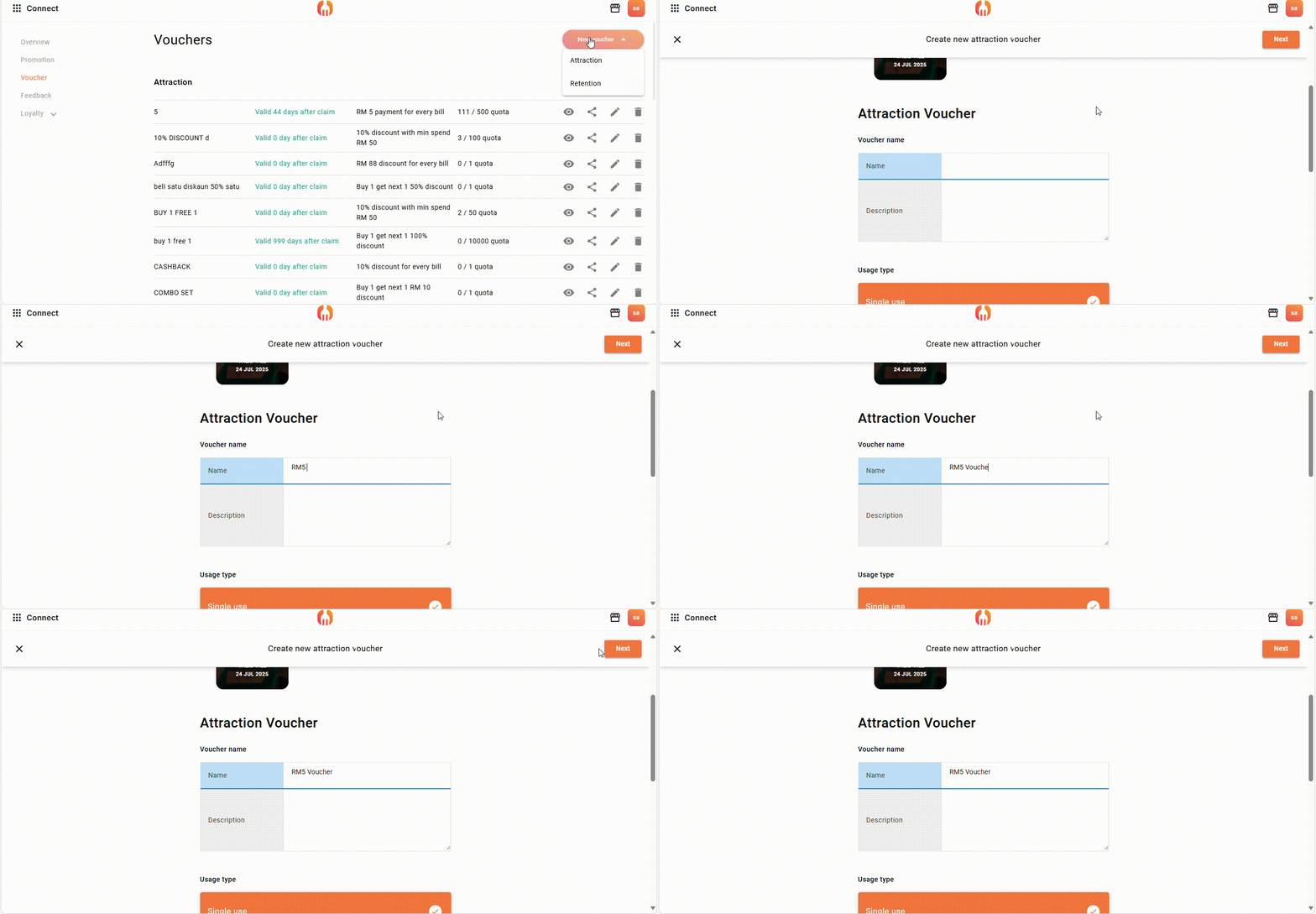
(1) Go to your FeedMe POS portal and log in with your admin account. Navigate to the Voucher section and click “New Voucher.” Give your voucher a clear name, and optionally, add a description to help track what the voucher is used for.
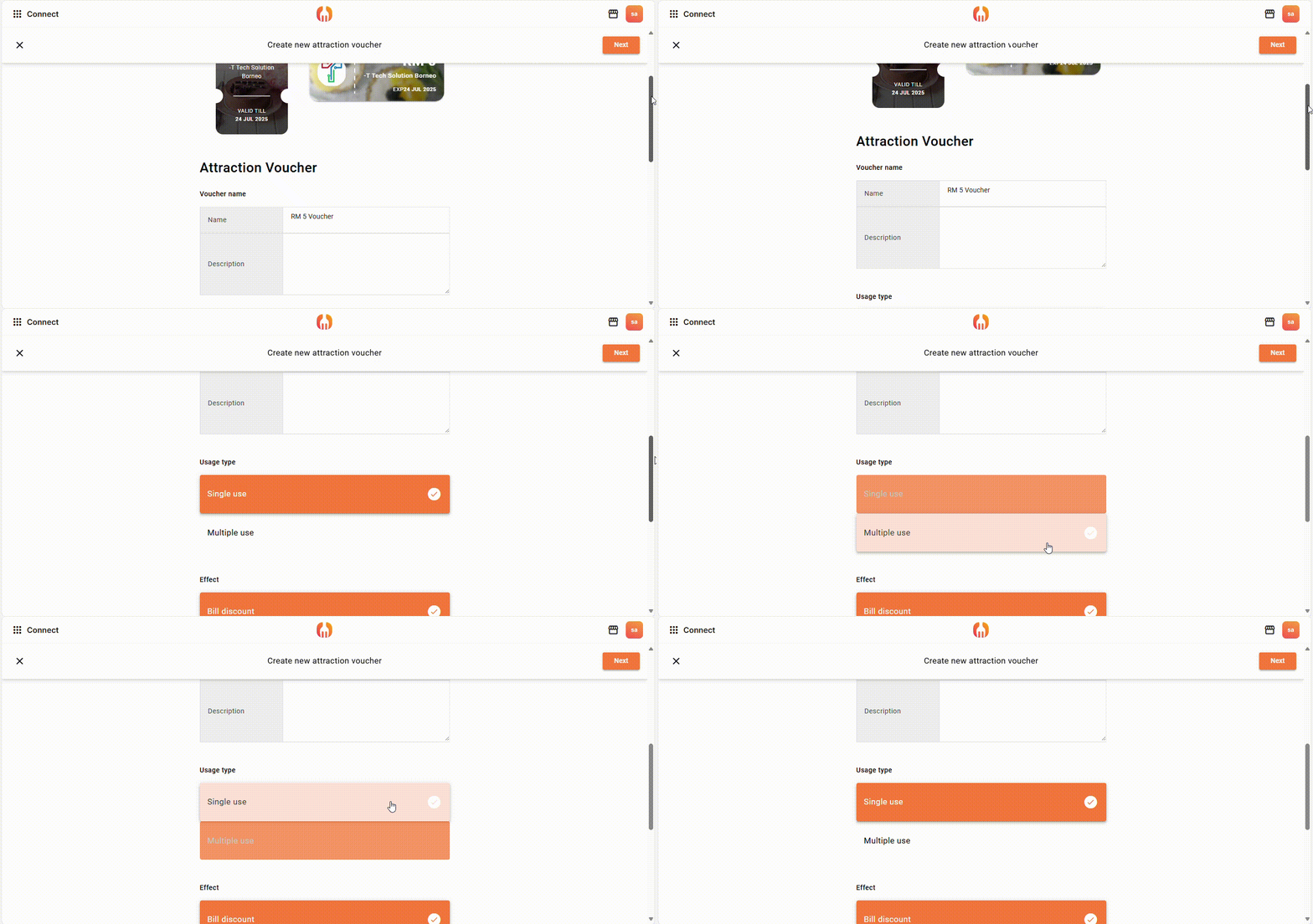
(2) You can set “Single use” to let your customer apply for one time only, or set “Multiple use” to let customer apply the voucher more than one time.
Underneath you can see 7 ways to promote your product:
The six voucher types have been covered in previous posts. In this post, we’ll focus only on Voucher by Payment and how they work in the FeedMe POS system.
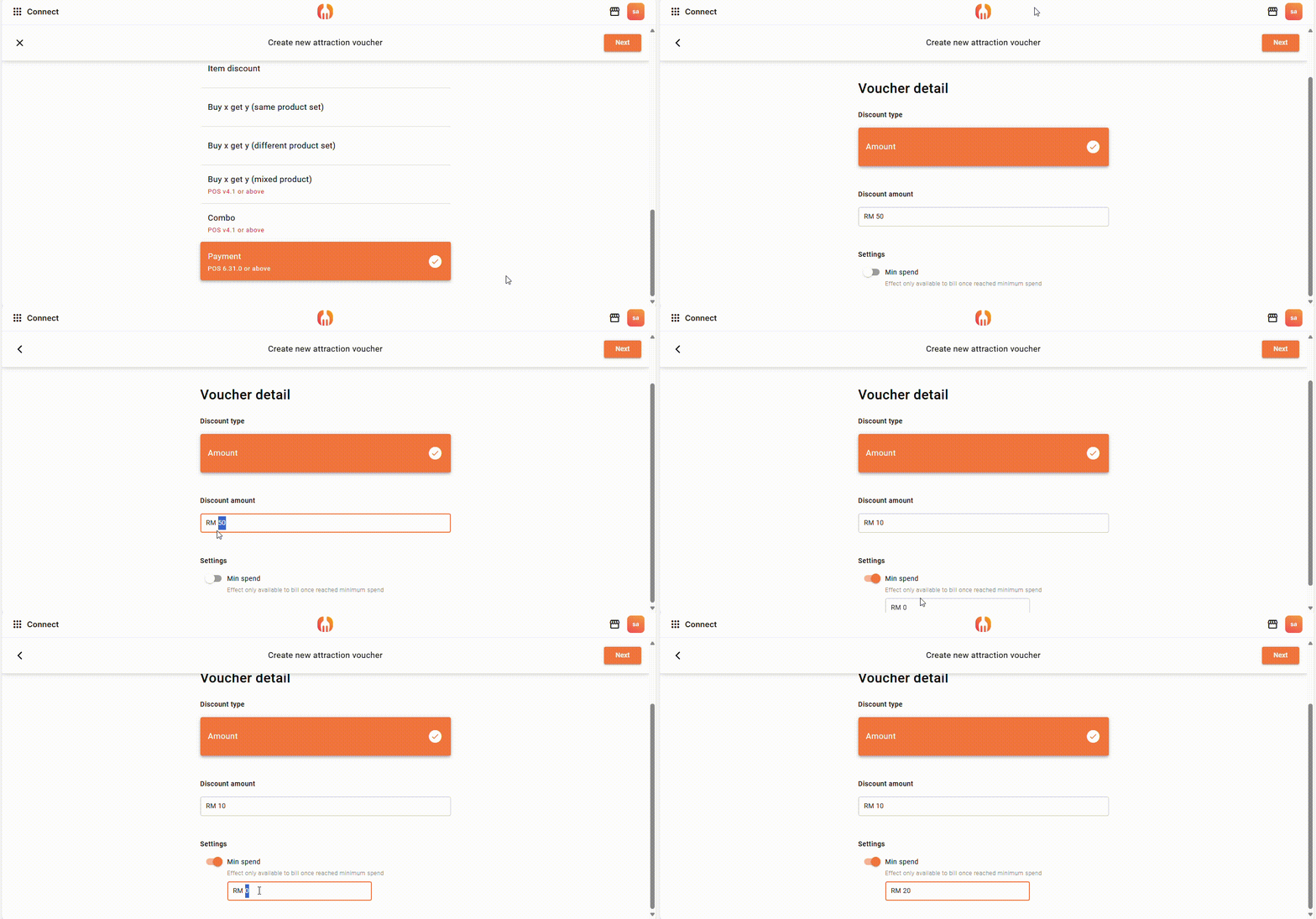
Example: Get RM10 off when you pay using GrabPay with a minimum spend of RM20.
This voucher type applies a discount amount when a customer uses a specific payment method, also set an optional minimum spend condition, requiring customers to spend a certain amount before the voucher becomes valid.


Add a Comment
You must be logged in to post a comment