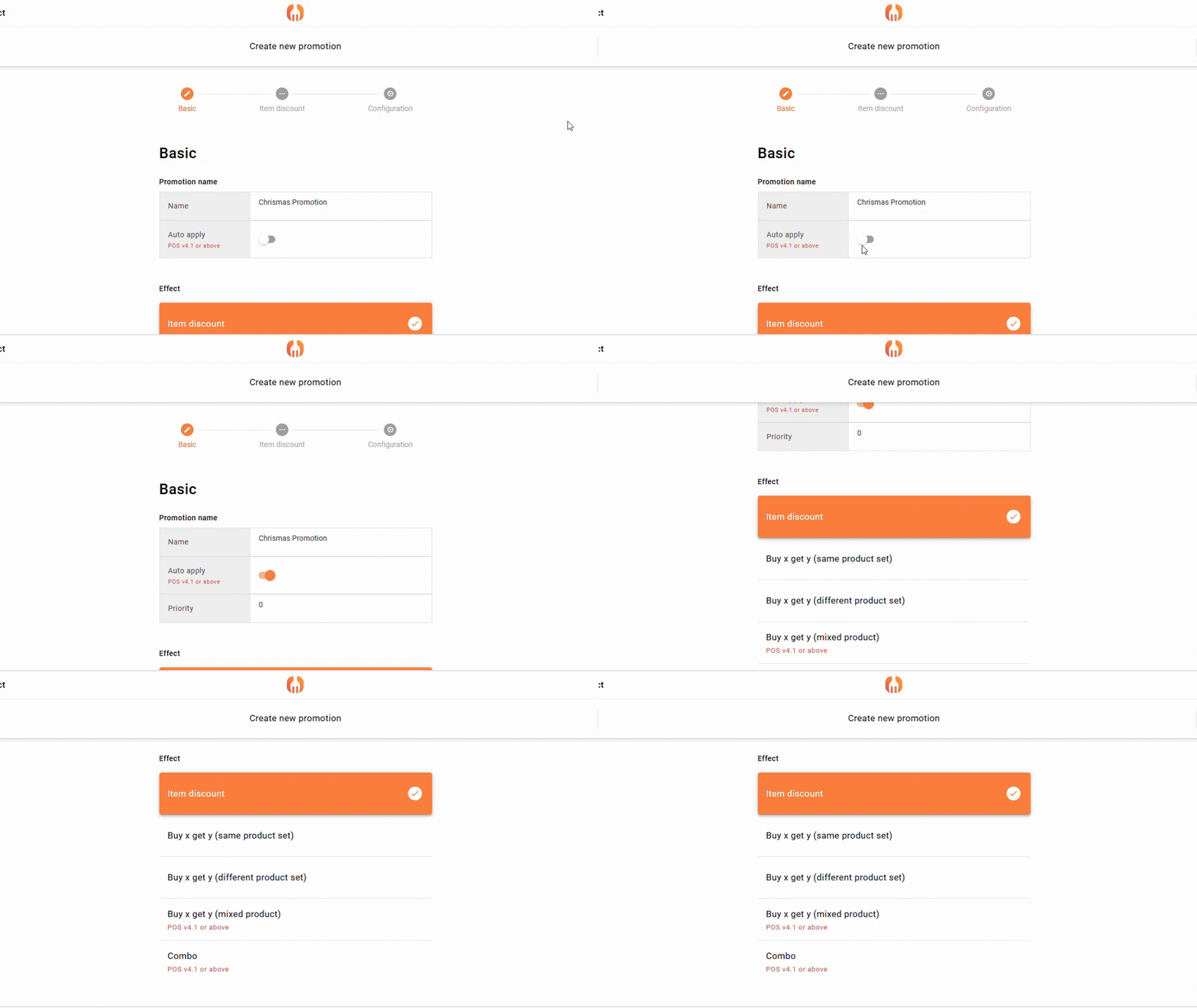
If you decided to use item discount for your item promotion, means RM10 chicken rice, currently have a disount for this item. Then will get RM 8 for a plate of chicken rice.
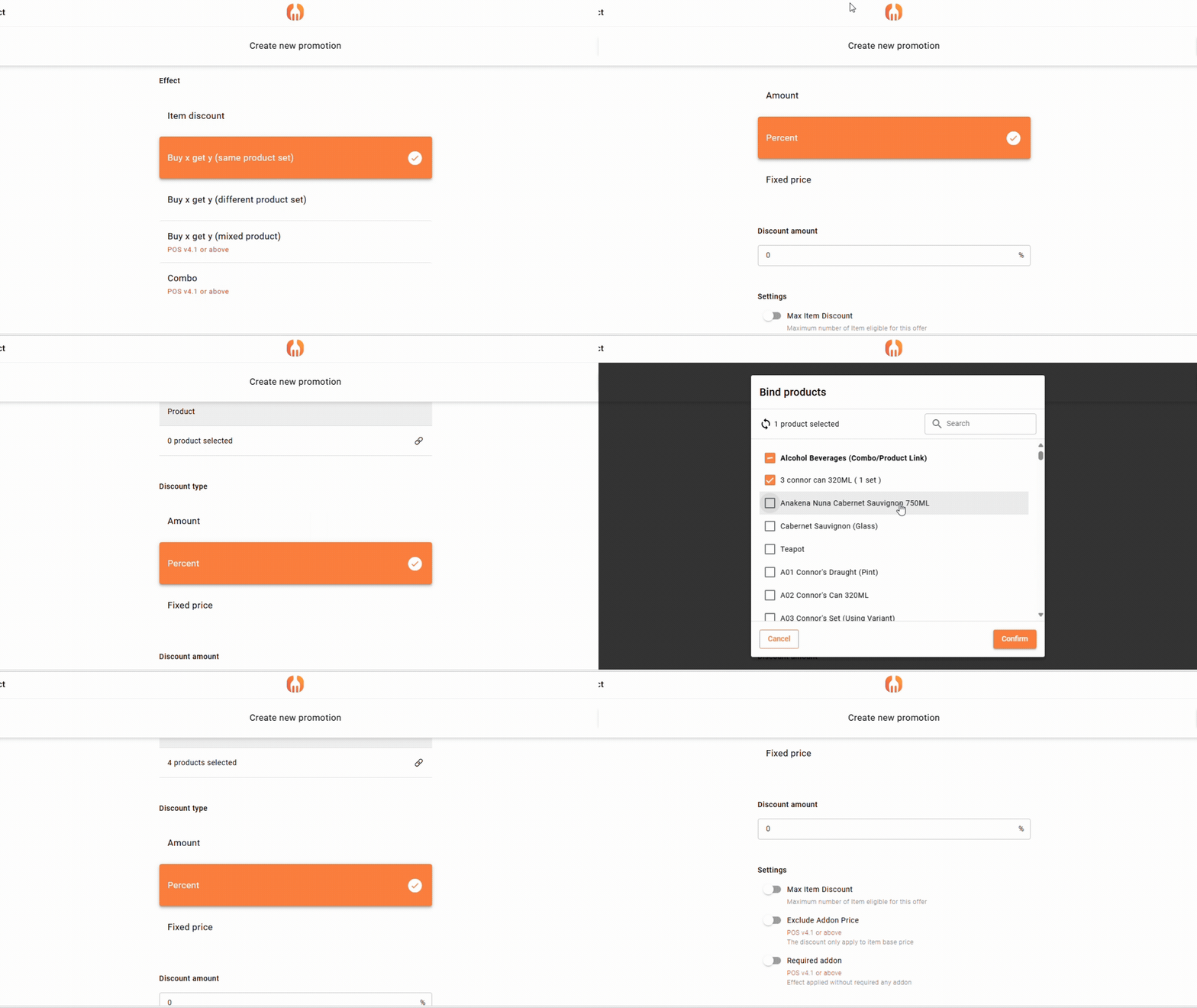
Under the product you can select your products/ categories to do promotion, and choose your discount type.
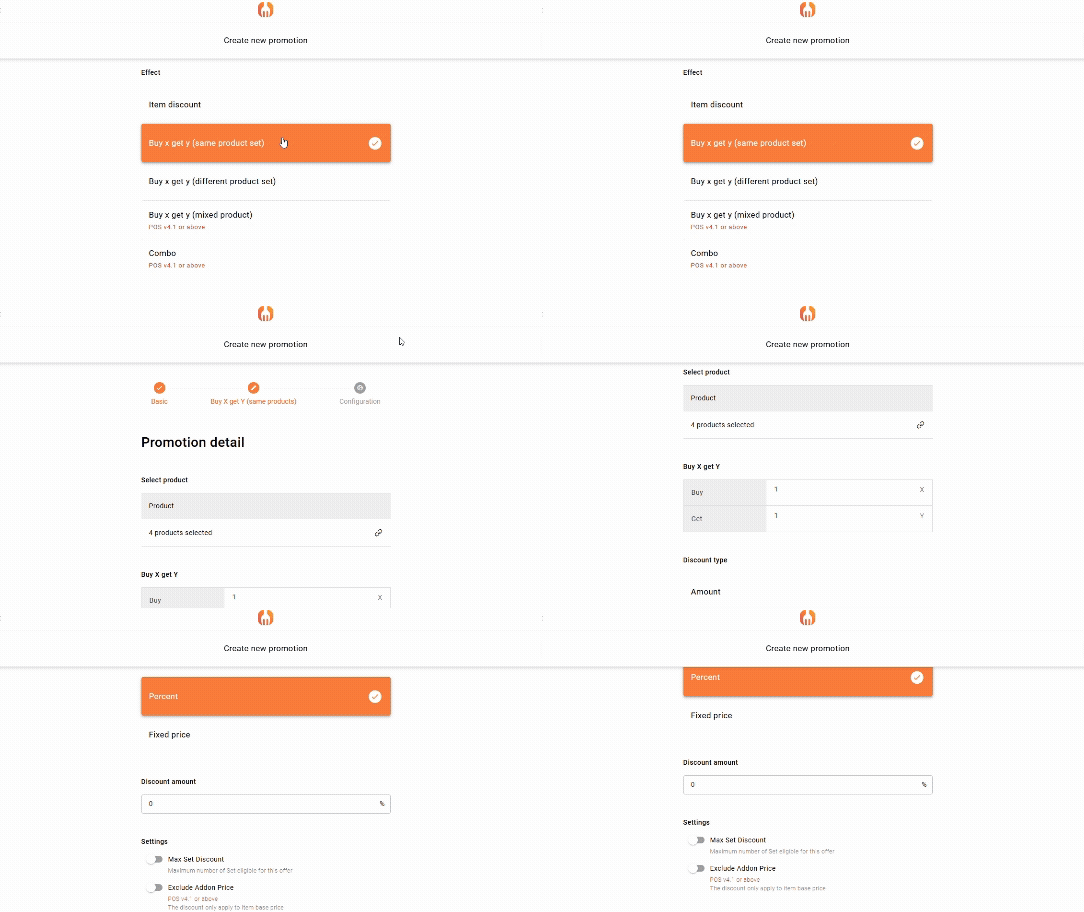
2. Buy x get y (same product set)
If you decide to promote by “buy x get y (same product)”, this means you can buy 2 tin of coke, and the second coke will give a discount.
Under the product you can select your products/ categories to do promotion. Then choose your quantity for x and y, and set your discount type.
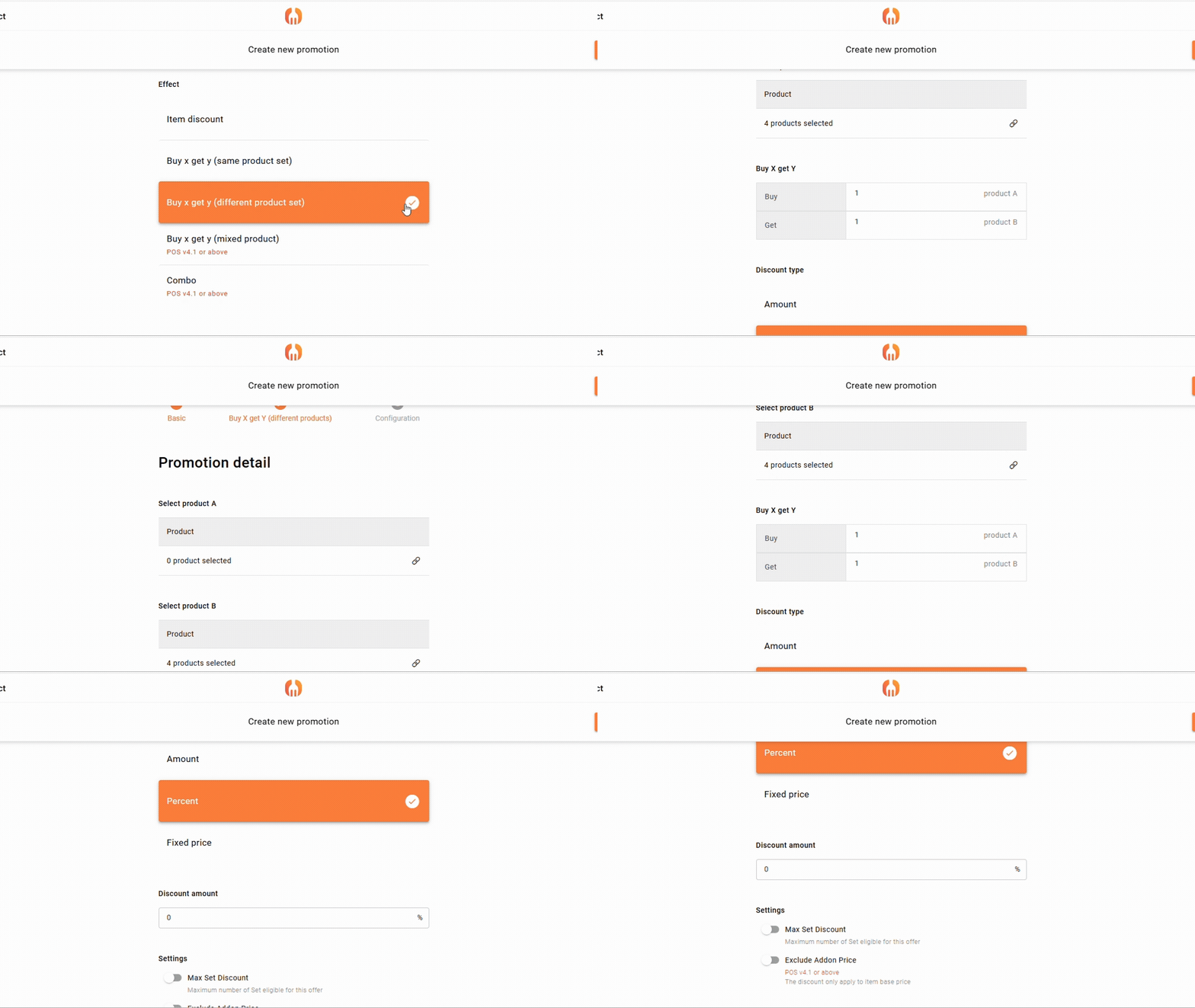
3. Buy x get y (different product set)
If you decide to do the promotion by “buy x get y (different product)”, this means when you buy a product, let’s say a cake, then you can receive a RM3 discount for a cup of coffee.
Under the product you can select your products/ categories to do promotion. Then choose your quantity for x and y, set your discount type.
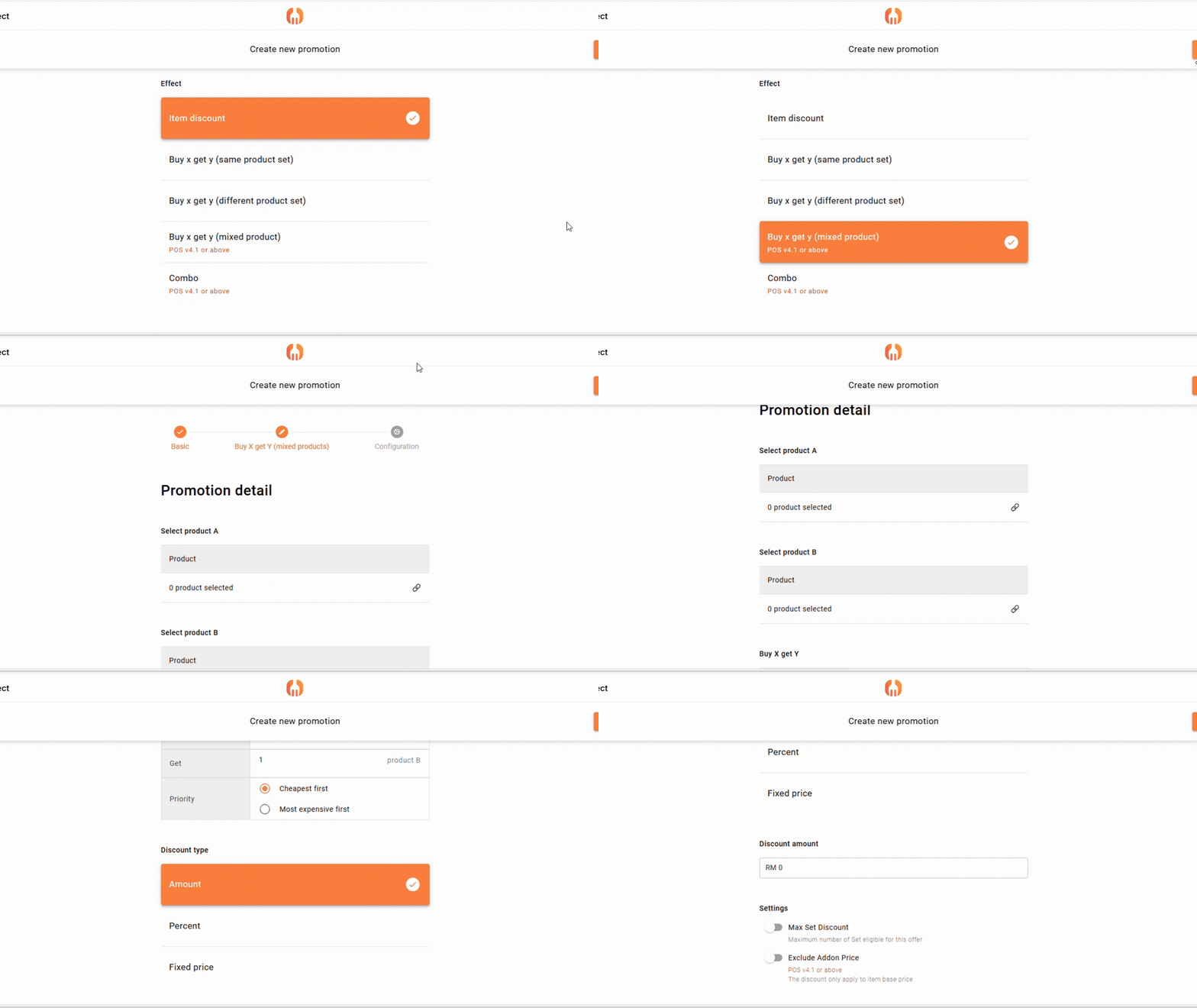
4. Buy x get y (mixed product)
If you decided to promote by “buy x get y (mixed product)”, this means you can buy a RM5 chocolate, RM3 cookies, and a slice og RM6 cake to get a discount for a cup of coffee.
Under the product you can select your products/ categories to do promotion. Then choose your quantity for x and y. The different from buy x get y (different product set) is, you can choose either “Cheapest First” or “Most Expensive first” product to purchase, and then set your discount type.
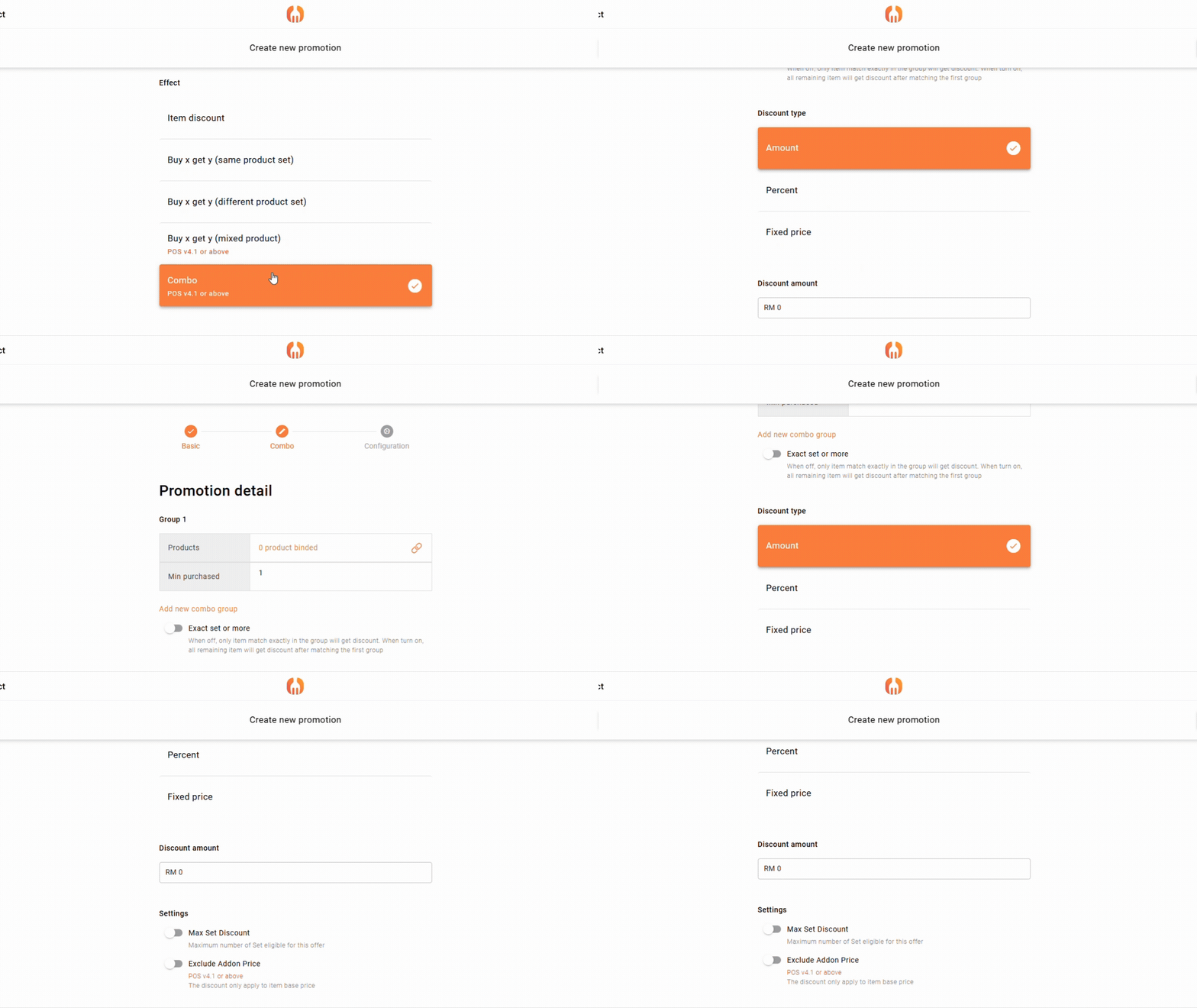
5. Combo
If you decide to do the promotion by “Combo”, under the product you can select your products/ categories to do promotion for a combo set, and set your discount type.
For instance, a customer will get a discount when buy a combo set (1 food + 1 beverage + 1 snack).

Add a Comment
You must be logged in to post a comment