Tutorials: Staff Attendance Report in FeedMe Portal
If you’re looking for this tutorial, you already know how important staff attendance is to your business. Today, we’ll show you how to access the employee attendance report. You can view it in two ways: through the FeedMe POS or the FeedMe Portal. Let’s get started with the Portal!
FeedMe Portal
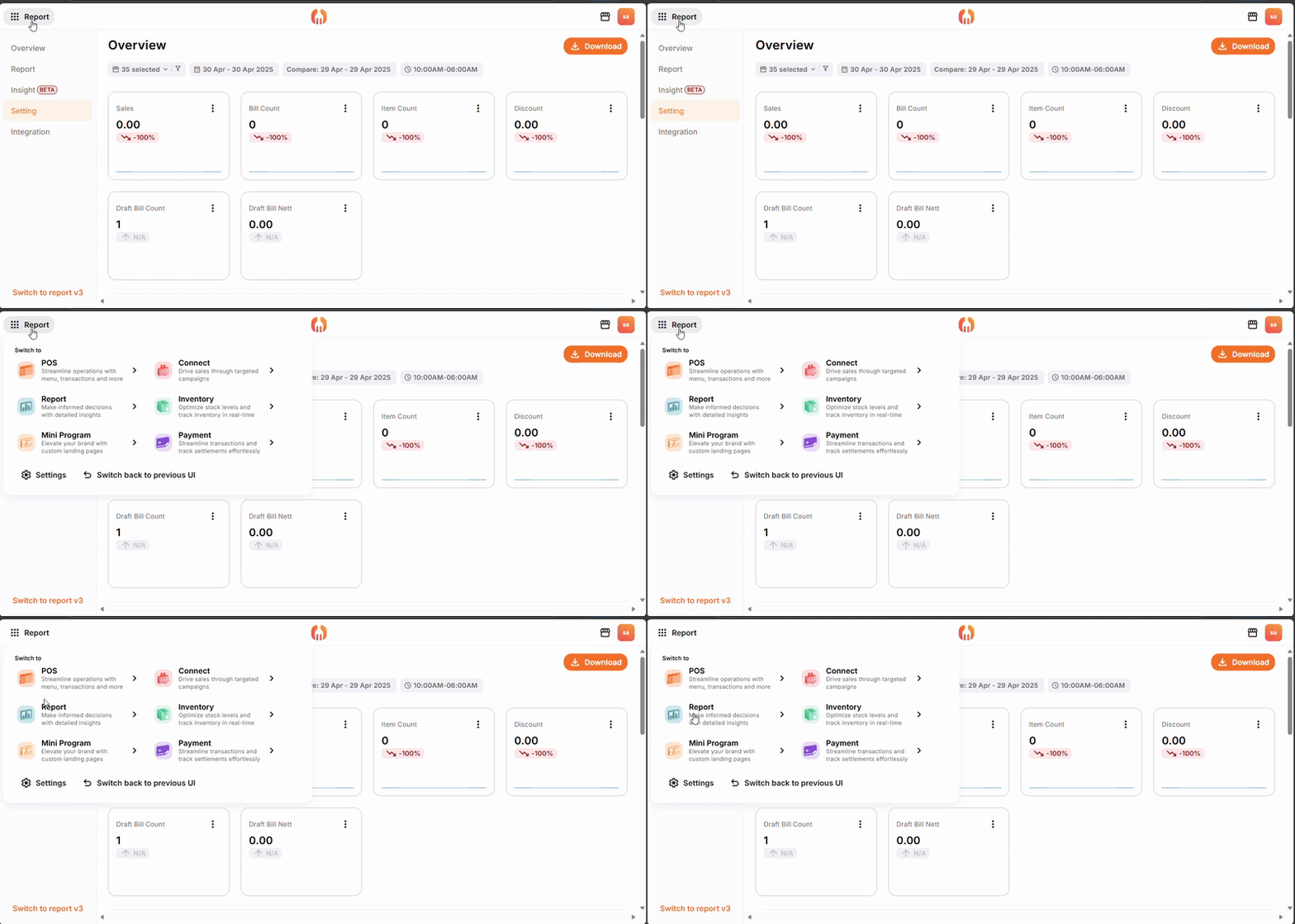
(1) After login to the portal, at the top-left click the 9 dots icon, find “Report” .
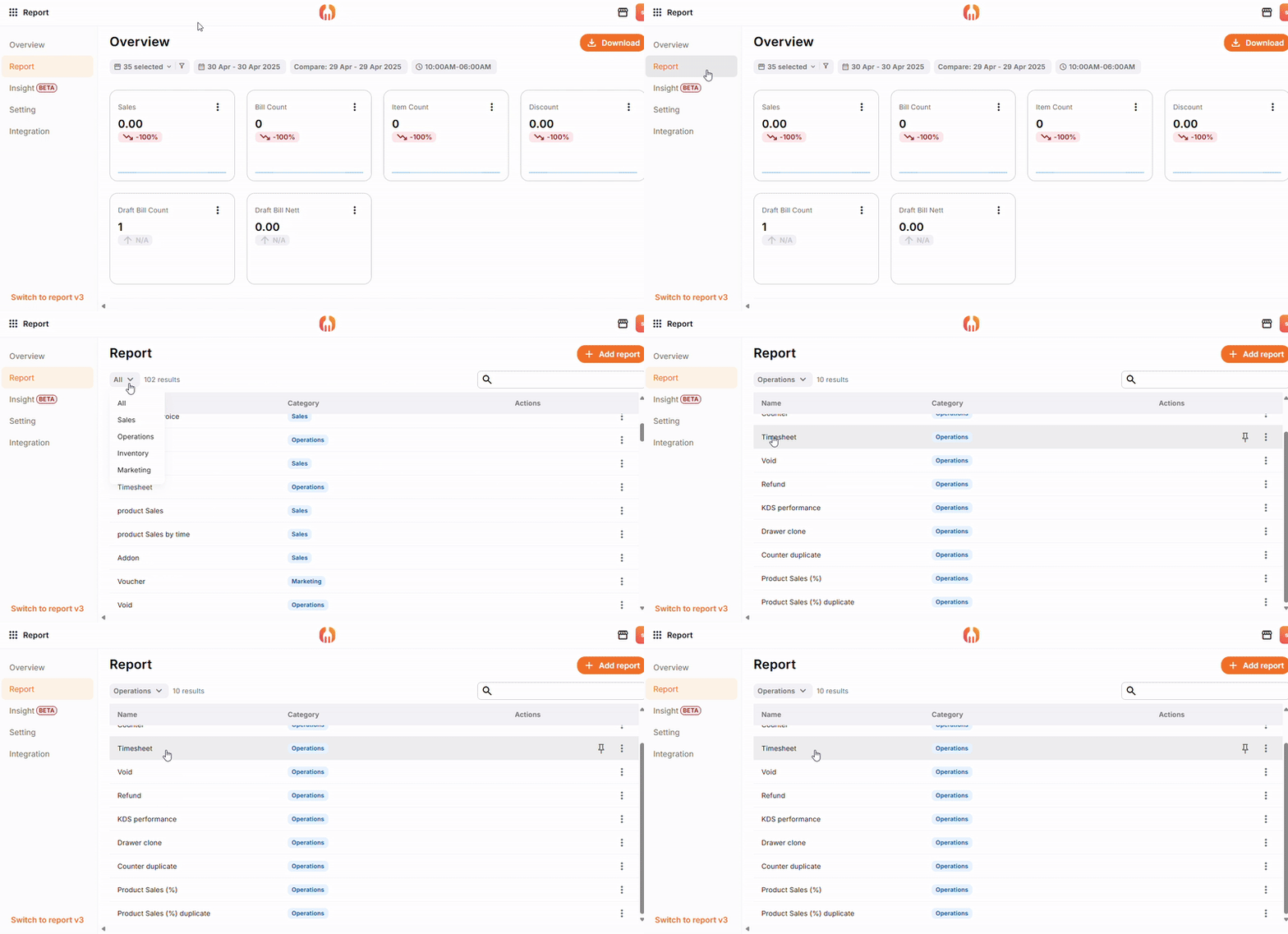
(2) Under the “Report”, find “Timesheet”.
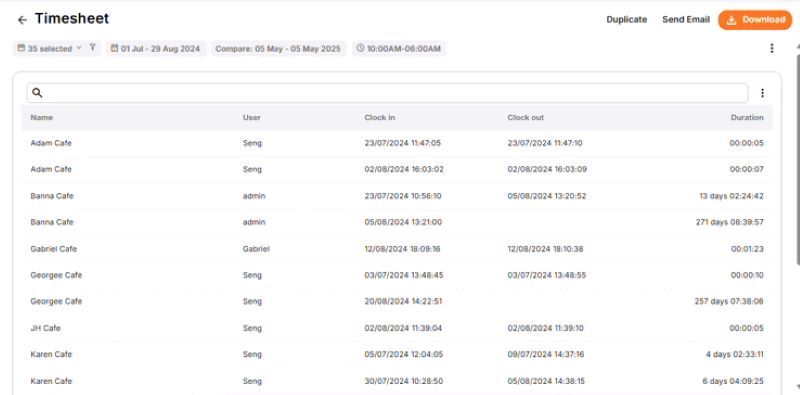
(3) The Employee Attendance Report will show here:
Name – Business name
User – Employee’s name/ role
Clock in/ clock out – Date & Time to clock in and out.
Duration – Staff’s total time worked in that day. [ = Clock out – Clock in]
This is how you can see the attendance report in the portal, you can also find out the attendance report in FeedMe POS. Curious about more features or topics? Check out our blogs for more helpful tips and insights! Also, feel free to 011-55061088/ 014-6091088!


Add a Comment
You must be logged in to post a comment