Hi there! By now, you probably understand how important it is to keep accurate records of staff attendance. If you’re interested in checking attendance reports through the portal, just click here. In this tutorial, we’ll guide you step-by-step on how to view the Clock In/Out report using FeedMe POS.
FeedMe POS
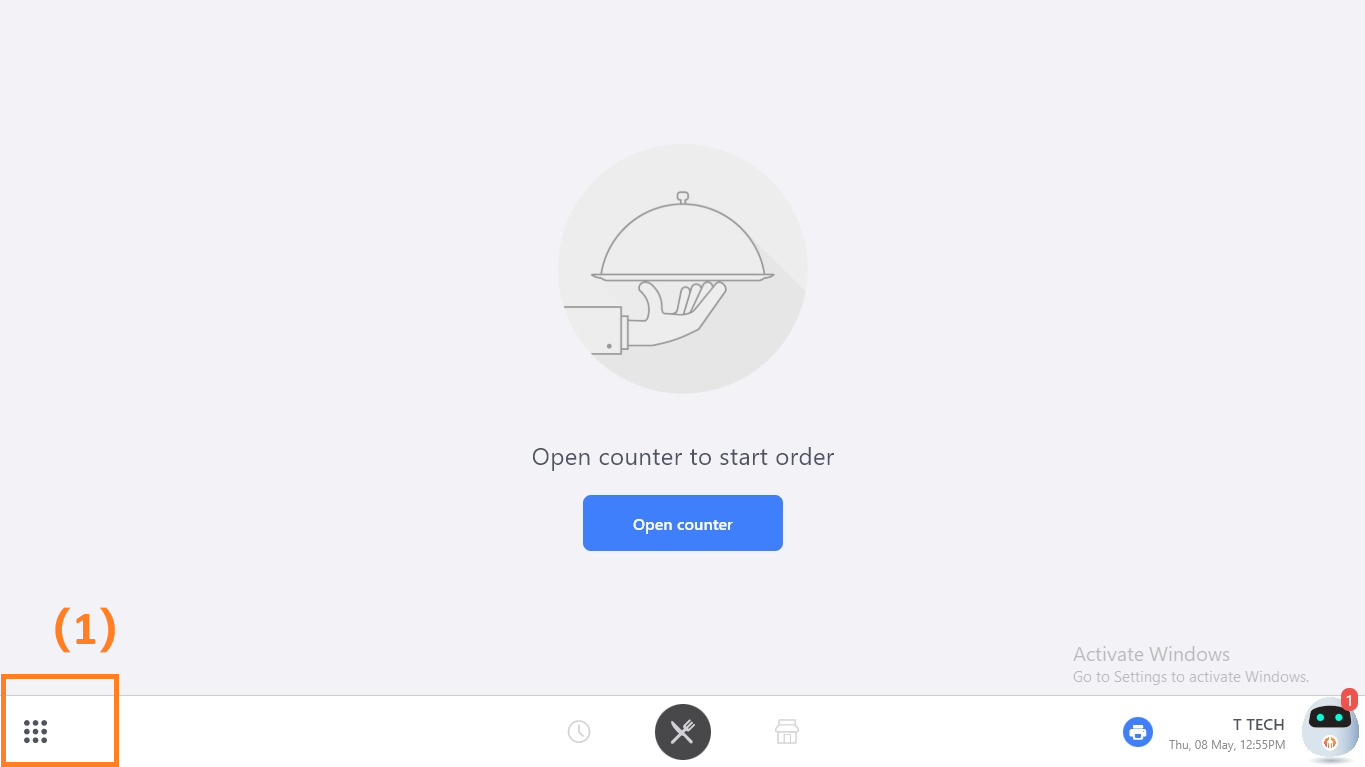
(1) In FeedMe POS, on the bottom-left shows an icon with 9 dots.
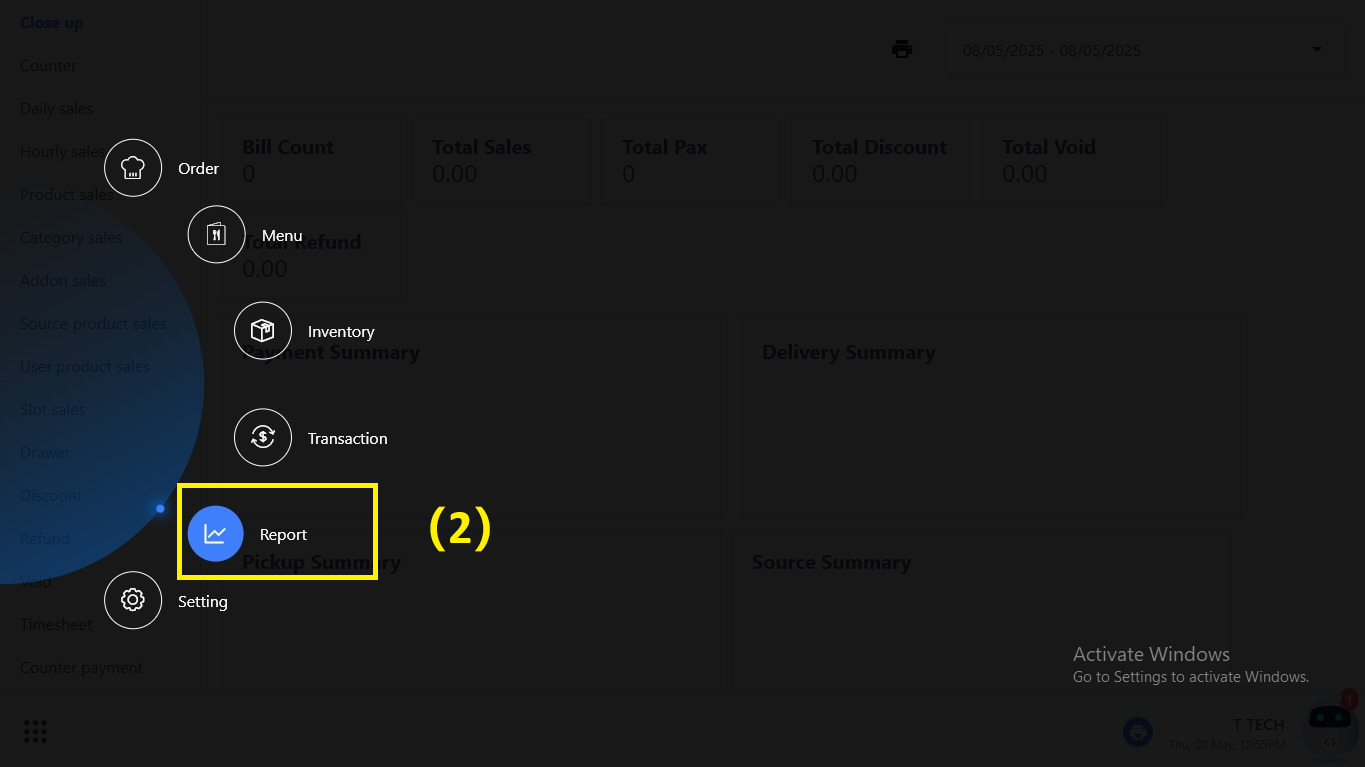
(2) Click the “Report”
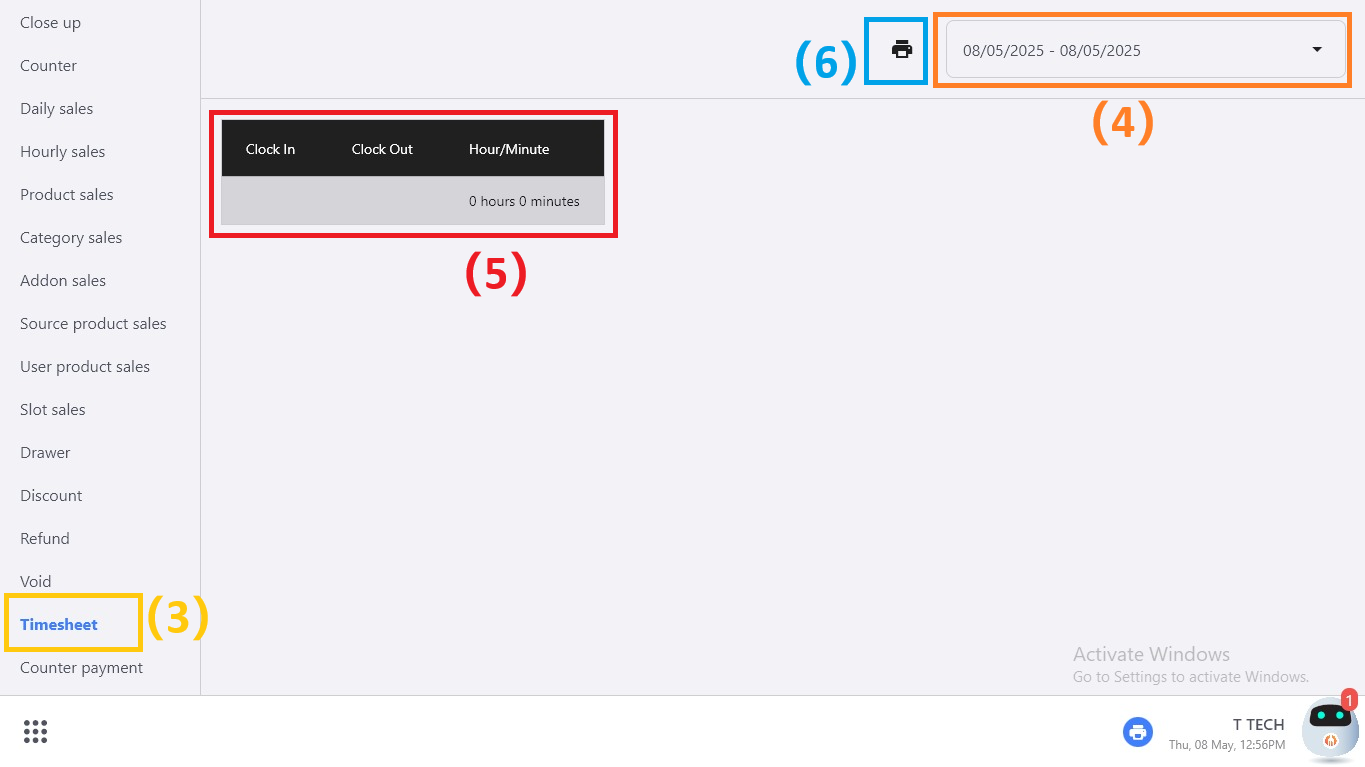
(3) Find “Timesheet”
(4) Filter a range of date for your report.
(5) In POS, the report will shows here.
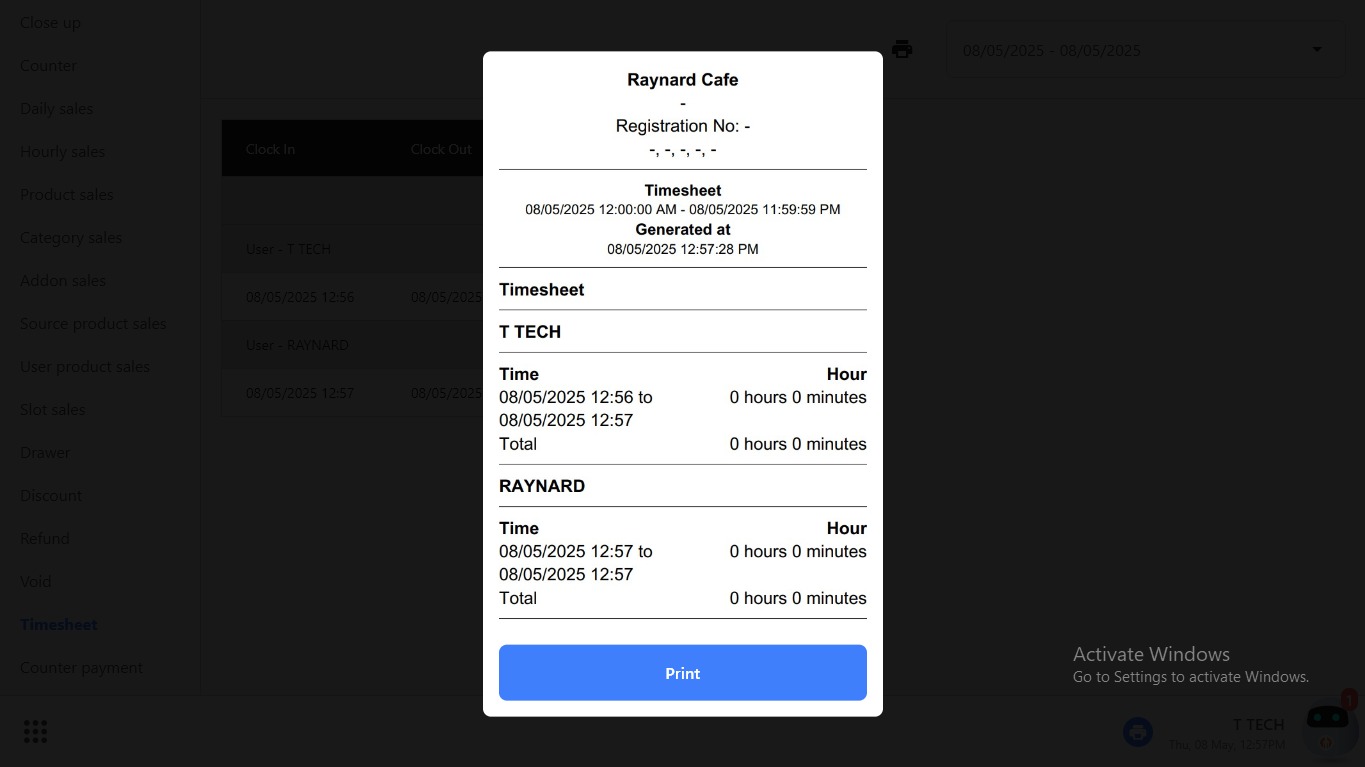
(6) If you want to print, click the printer icon beside the date filter. The receipt will print as below:
Here’s how you can find the attendance report on the POS. If you don’t know how to check the attendance in portal, can click here. Willing to know more about FeedMe? Feel free to contact us for more details!

Add a Comment