










t tech solution
t tech solution
t tech solution

Genius POS System is packed with features to help manage your businesses.

Suitable for cafes, bars, food outlets, fast food restaurants, retail, car wash and many more!

Genius-POS-product-image_800
Claim up to RM5,000 SME Business Digitalization Grant from government when you sign up our packages.
GENIUS POINT OF SALE (POS) SYSTEM

FEATURES

Run your caferetail storerestaurantbusiness anywhere.

t tech solution

Cloud-based accessibility lets you manage your business with ease.

t tech solution
GENIUS POINT OF SALE (POS) SYSTEM

OUR CUSTOMERS

Look at how Genius POS System has helped our customers manage their businesses.

Borneo Beach Villas
Sandakan Kah Hiong Ngiu Chap
Sabah Chicken Rice @Lahad Datu
My Baby Kingdom
Geo Motor @RANAU
GMP Bistro & Bar
Aqua Dynamics Enterprise@Asia City
GENIUS POINT OF SALE (POS) SYSTEM

HOW IT WORKS

Ordering

Ordering

The waiter/waitress will taking order from the customers by clicking on the ipad only.
1

Send To Kitchen

Send To Kitchen

The chef will receive an order list and prepare the food accordingly.
2

Link To Cashier

Link To Cashier

Received the order and automatically calculate the total amount of the bill.
3

Cloud Report

Cloud Report

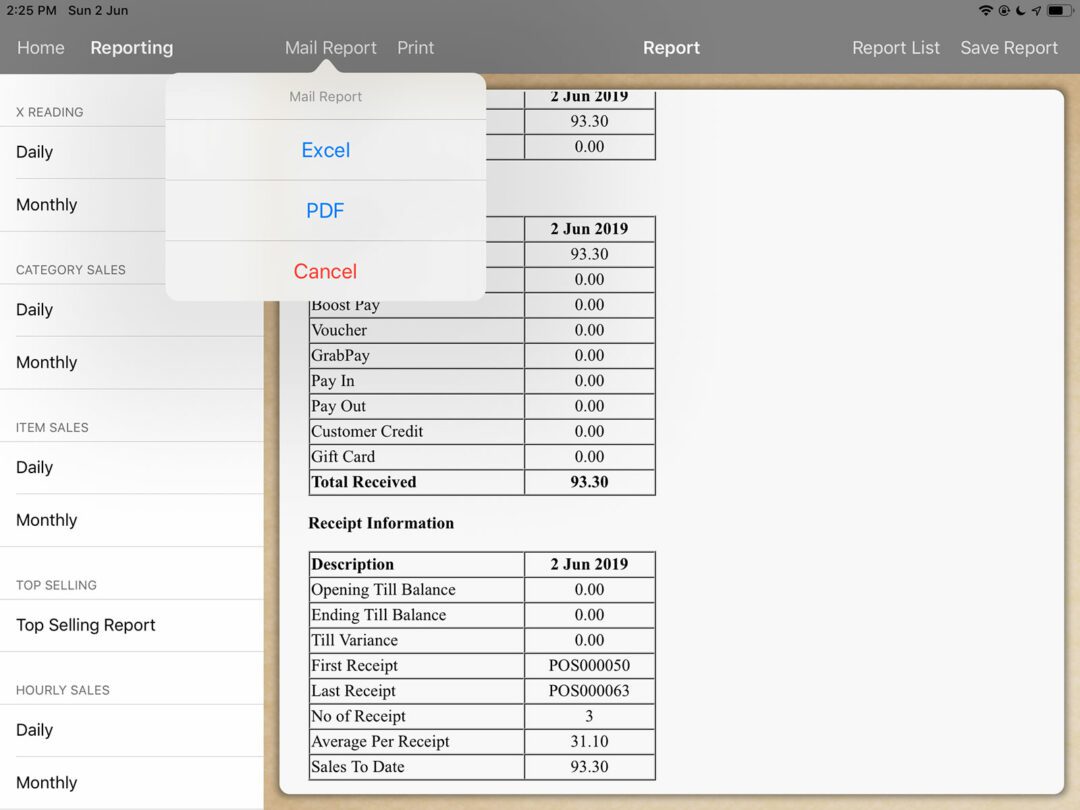
Cloud system auto generating the real time report. The restauranteur can check the report at anytime anywhere.
4
t tech solution
t tech solution
GENIUS POINT OF SALE (POS) SYSTEM

SCREENSHOTS

t tech solution
  •  Slide Item 1
  •  Slide Item 2
  •  Slide Item 3
  •  Slide Item 4
  •  Slide Item 5
  •  Slide Item 6
t tech solution
GENIUS POINT OF SALE (POS) SYSTEM

PRICING & PACKAGES

Features Lite
No Cloud
Lite
With Cloud
Pro
No Cloud
Pro
With Cloud
First Payment RM 2850 RM 3090 RM 3499 RM 3859
Monthly Fee RM 40 RM 66 RM 99 RM 124
Yearly Renewal RM 488 RM 788 RM 1188 RM 1488
Genius POS License
E-Invoice Module ✔ (RM 250, Renewal RM 150) ✔ (RM 250, Renewal RM 150)
Thermal Printer
Cash Drawer
Router
iPad Stand
Personal Training & Consultation
Lifetime Support & 1 Year Warranty
Select Plan

Lite no Cloud

First payment of RM 2850
RM 40 per month
RM488 yearly renewal
  • Genius POS License
  • Thermal Printer
  • Cash Drawer
  • Router
  • iPad Stand
  • Personal Training & Consultation
  • Lifetime Support & ONE Year Warranty

Lite with Cloud

First payment of RM 3090
RM 66 per month
RM788 yearly renewal
  • E-Invoice Module RM 250 (Renewal RM 150)
  • Genius POS License
  • Thermal Printer
  • Cash Drawer
  • Router
  • iPad Stand
  • Personal Training & Consultation
  • Lifetime Support & ONE Year Warranty

Pro no Cloud

First payment of RM 3499
RM 99 per month
RM1188 yearly renewal
  • Genius POS License
  • Thermal Printer
  • Cash Drawer
  • Router
  • iPad Stand
  • Personal Training & Consultation
  • Lifetime Support & ONE Year Warranty

Pro with Cloud

First payment of RM 3859
RM 124 per month
RM1488 yearly renewal
  • E-Invoice Modiule RM 250 (Renewal RM 150)
  • Genius POS License
  • Thermal Printer
  • Cash Drawer
  • Router
  • iPad Stand
  • Personal Training & Consultation
  • List Item

❗ NOTICE!

1. Terminal Discount for E-Invoice Upgrade: Effective 1 January 2026, customers holding license numbers between 1500 – 3500 who upgrade to the E-Invoice module will be entitled to 20% discount on Terminal.

2. Old License Phase-Out Policy: License numbers between 0 – 3500 will no longer be valid for use as old license will no longer be compatible with current and future system softwares, and all affected customers must convert to PRO or LITE license before 1 January 2027.

FULL FEATURE COMPARISON
t tech solution
t tech solution
COMPARE FEATURES
GENIUS POINT OF SALE (POS) SYSTEM

COMPARE FEATURES

LITE

PRO

User Account Unlimited
Product Item 500 Unlimited

Suitable

Cafe
Stall
Food Court
Kiosk
Pub
Fine Dining
Complex Restaurant

Cash Register

Open Item
Manage Order
Delay Printing
Manage Till
Clock In/Out
Pay In/Out
Stock Take

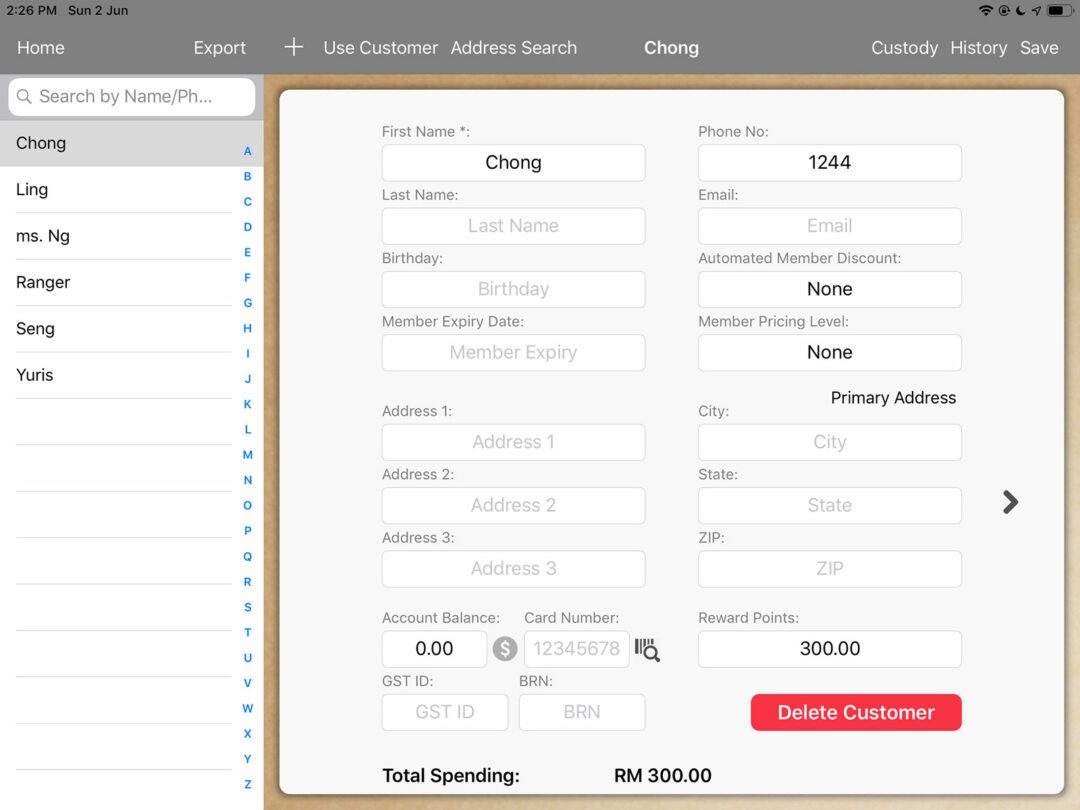
Customer

Account Balance
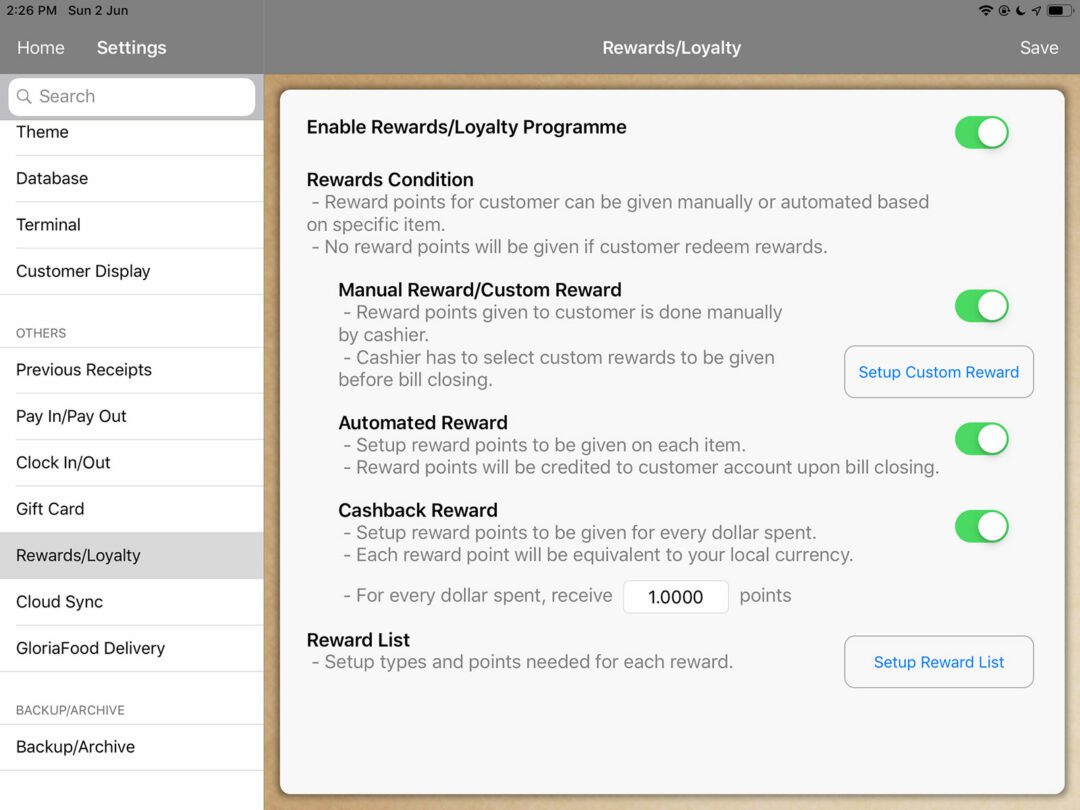
Rewards Point
Loyalty Report
Custody
Repeat Order
Address Search

Settings

Item
Modifier
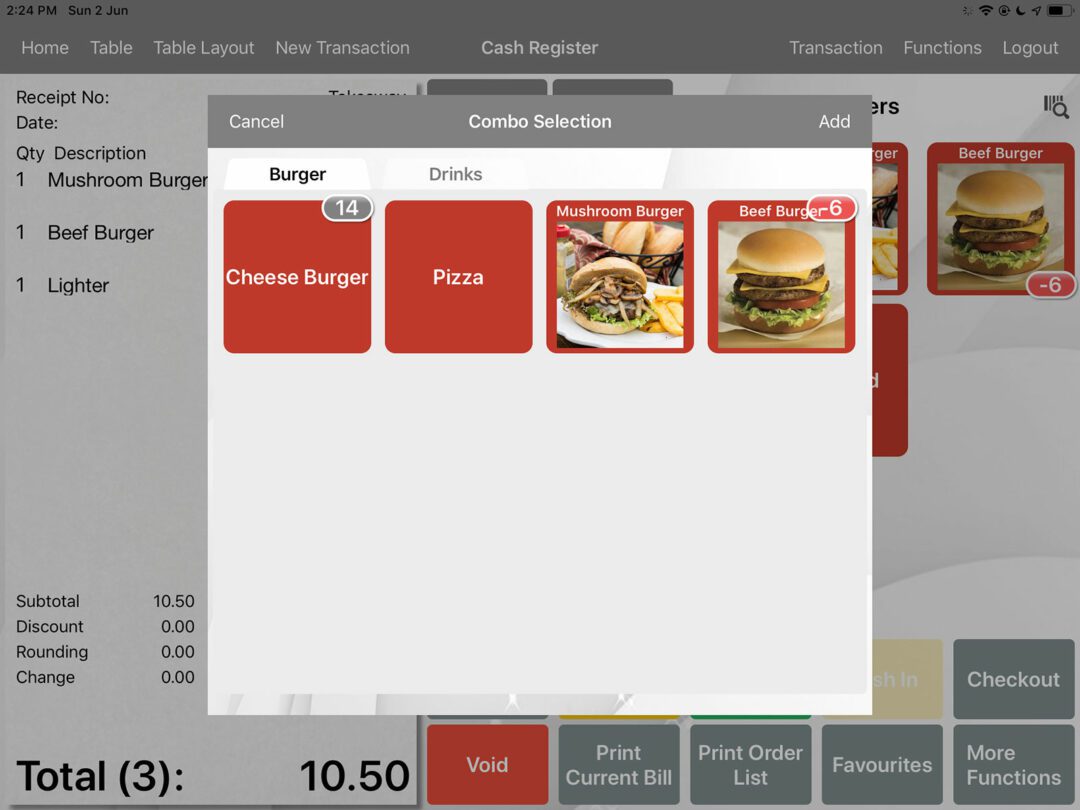
Combo Meal Group
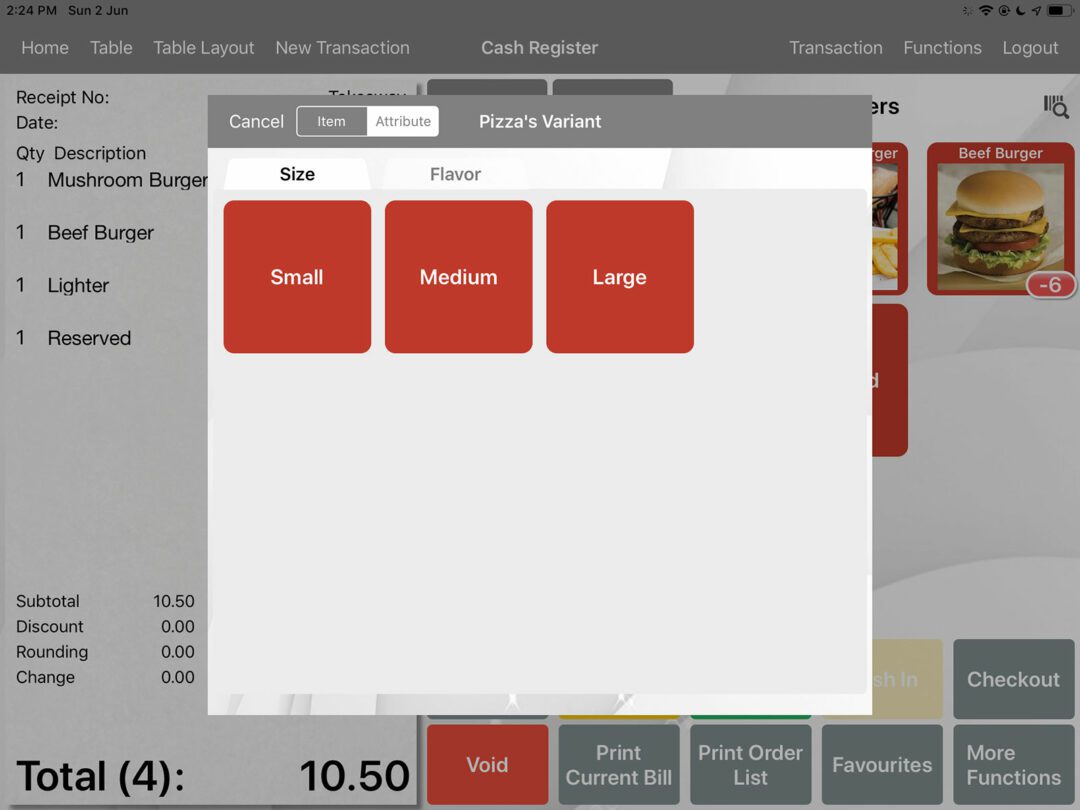
Attribute
Time Based Menu
Menu Language
Printer Override
Account Type/Commission
Currency Type
Course
Pricing Level
Top Up Tier
UOM
Timer
Replace Word
Pay In/Out
Clock In/Out
Rewards/Loyalty
Gift Card

Item

Commission
Recipe
Inventory
GENIUS POINT OF SALE (POS) SYSTEM

FREQUENTLY ASKED QUESTIONS

Yes, you do not need a cash drawer for your printer to work.

The different printer has a different printable column. It determines the width of your printing by adjusting the column count.  Use test print to see the results. Ranging from 36 columns to 52 columns.

To backup, you will have to plug your iPad into iTunes. 
In iTunes, select your device and go under the iPad’s App. 
Scroll down till you see File Sharing & look for Genius POS. 

Look for Genius POS.db & Images Folder, copy them to your preferred location.

To restore, replace Genius POS.db and copy all the images to the root folder. Images will automatically be copied into the Images folder upon the application start. Please refer to this image.In v1.200 onwards, you can backup your files using Dropbox.

Or you can watch the tutorial video.

Currently Genius Point of Sale (POS) System supports language listed below. For more, please contact us. 
In v1.270 onwards, updates of language will be reflected in app immediately.
Czech, Dutch, French, German, Hungarian/Magyar,
Indonesia, Italian, Japanese, Korea, Spanish (Latin America),
Spanish (Spain), Thai and more!

Yes, just drag and drop the CSV file into the documents folder of Genius POS (full version). 
Go under Import CSV in settings and select the file. 
Right click to save the sample csv file.

Yes, you can, refer to the tutorial video.

Or, go to Genius POS setting, general and choose Login By Password, select QR Code. 

And you can create QR Code, here’s the steps.
Create QR Code for login in Genius POS
1. First, go to
https://www.qrcode-monkey.com/
2. Then select “TEXT”, insert ur account password.
3. Create QR Code.
4. Download QR Code.
5. Open in Microsoft word and insert the QR Code that you downloaded, adjust the size for your own suitable printing.
6. You also can send it to your staff in image (soft copy) and store it in their phone, so next time they just need to take their phone and scan the image.
7. You can use it in Clock In/Out or Login.

One QR code only for one account password.

GENIUS POS

CONTACT US

HQ ADDRESS

SIDE ADDRESS

SANDAKAN   |   TAWAU   |  PENANG   |   JOHOR   |   SELANGOR  

EMAIL

ttechmarketing157@gmail.com

PHONE

+6014 609 1088

Get Your Free Trial Now!

Contact us today to download the trial and experience the system hands-on.

    Find Your Fit

    1. What type of business do you run?


    2. What do you need help with?


    3. Where is your location?


    Kindly provide the following details, our sales consultant will contact you to make further arrangements. Thank you.

    t tech solution